Discover more about Clean
Take the self-serve product tour at your own pace. Questions first? Contact us and the Plauti team will get back to you.
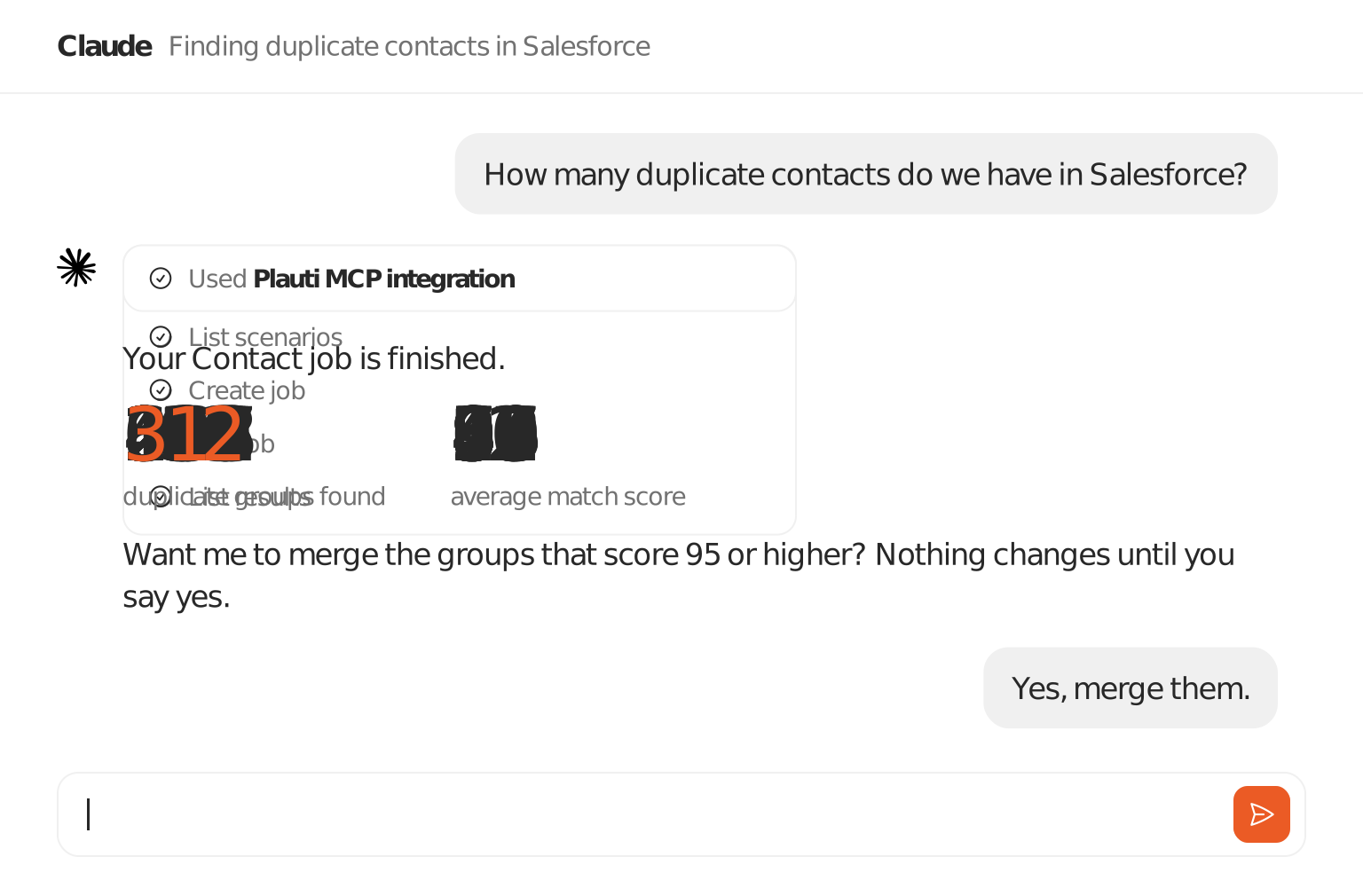
Plauti's MCP gives your AI assistant your scenarios, jobs, results, and merges. Ask in Claude Desktop, Claude Code, Cursor, or Codex, and it acts on the Plauti engine you already use. Nothing merges until you say yes.
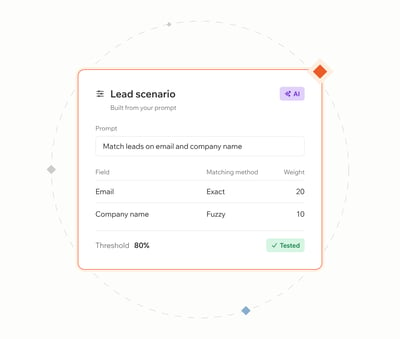
Say what makes two records the same, like "match leads on email and company name". The assistant picks the matching method and weights, then builds and tests the scenario.
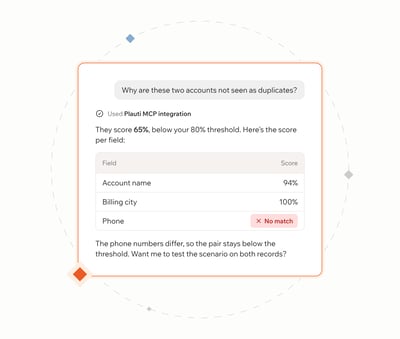
Ask "Why are these two accounts not seen as duplicates?", follow up, and the assistant digs in. It explains the score field by field, and if a job fails, it reads the log and tells you why.
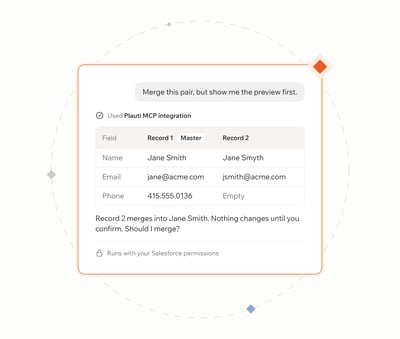
Looking never changes data. Merges wait for your confirmation, and the assistant can only do what your Salesforce user can do. With merge tracking switched on, Plauti can also restore a merge.
Plauti Desktop installed on a Mac or Windows machine (it doesn't need to be open), the Plauti ECA package installed in your Salesforce org by an admin, and a desktop AI client that supports local MCP servers, such as Claude Desktop, Claude Code, Cursor, or Codex. Browser-based assistants and Agentforce don't work. Setup means editing the AI client's configuration file or running a terminal command, so plan for an admin to do it once.
No. Reviewing groups, explaining scores, and previewing the master record never change data. A merge runs only after you confirm it, and a bulk merge only above the score threshold you set. The assistant also can't do anything your own Salesforce user isn't allowed to do.
No. The assistant drives the same scenarios, fuzzy matching, scores, and merge logic you already use in Plauti, and scenarios built in the chat are regular Plauti scenarios.
Yes. When the assistant shows record values or explains a score, those values pass through your AI assistant. Check that against your organization's AI usage and data processing policies before you connect a production org.
Book a call with one of our experts and watch an assistant build a scenario, run a job, and merge on a Salesforce org.
✓ Talk through how duplicates enter your Salesforce org today
✓ See where headless deduplication fits your current setup
✓ Get answers on setup, permissions, and AI data policies
Take the self-serve product tour at your own pace. Questions first? Contact us and the Plauti team will get back to you.