

Audit Logging
For anything to appear in the Audit Log, you first need to enable PD Audit Logging.
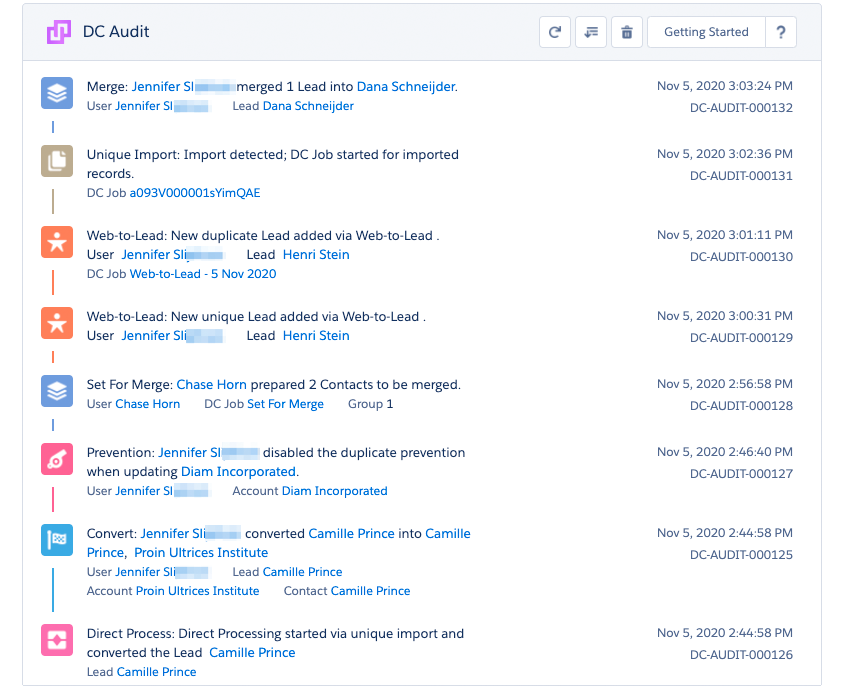
Example of the Audit Log
PD Audit Logging keeps track of all actions performed in Plauti Deduplicate by all users at the Audit Logging page.
This page can be found in the left menu at the Deduplicate Setup page.
There is no storage limit for Audit Logs other than the storage capacity of your Salesforce Org.
Buttons
On the top right of the page, some action buttons can be found.

 |
Refresh the page to see the most recent Audit Logs |
 |
Filter Audit Logs |
 |
Delete all Audit Logs |
Filters
You have the option to filter the audit logs by a few criteria.
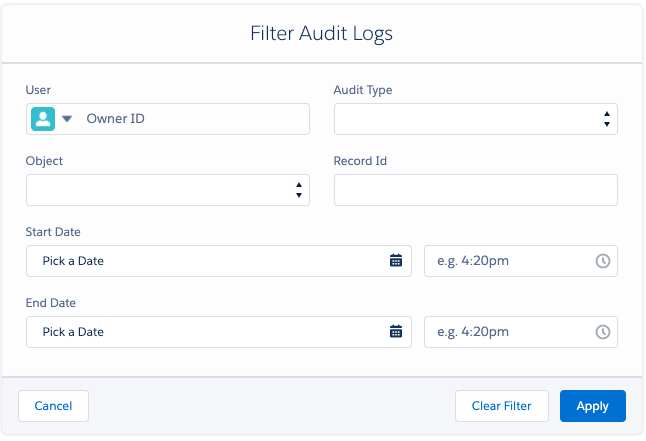
| User | View all actions performed by a particular user |
| Audit Type | Filter by type of audit, for example, 'Merge' or 'Convert' |
| Object | View all actions performed on a particular Object type |
| Record ID | Filter by record ID to find all actions performed on a particular Record |
| Start Date | View all actions performed from a specific date and time |
| End Date | View all actions performed before a specific date and time |
In the Premium and PDM editions of PD, you can install the Audit Logging Dashboard add-on to see an overview of the work Plauti Deduplicate has done for your Org so far.