

Assign to a Queue if Plauti Assign doesn't assign the record
Last updated
We always recommend making sure a Lead or Case is assigned to a human being and not a Salesforce Queue, because queues are where records languish and nobody takes ownership, leading to poor service. Sometimes though you will have a good business case for wanting Leads, Cases or other records you are assigning to be sent to a Queue if Plauti Assign doesn't assign it for you.
We leverage the standard Lead Assignment Rules to achieve this. Create a new Lead Assignment Rule by going to Salesforce Setup > Lead Assignment Rules. Call it Plauti Assign so you know it is related.
Add a new entry.
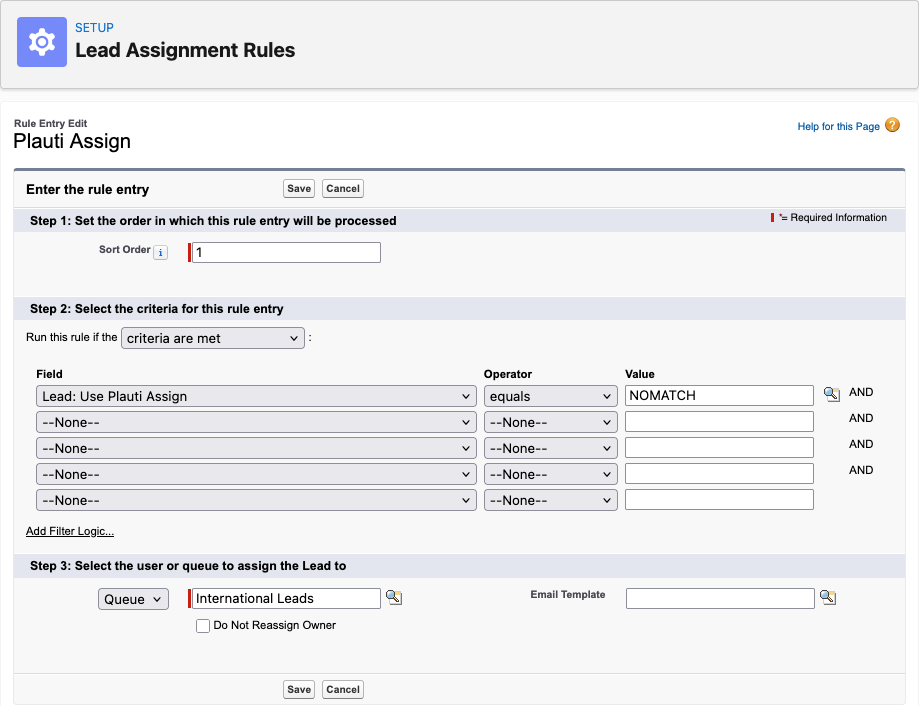
Step 1: Set the Sort Order to 1
Step 2: Leave the drop down as 'criteria are met' and choose the field: Use Plauti Assign, operator 'equals' and enter the value NOMATCH
Step 3: Select 'Queue' in the first dropdown, and in the second dropdown select the queue you want to assign to. Save.
If you use Web-to-Lead, we need to add another rule entry, so click the 'new' button again to create a new rule entry.
In this one
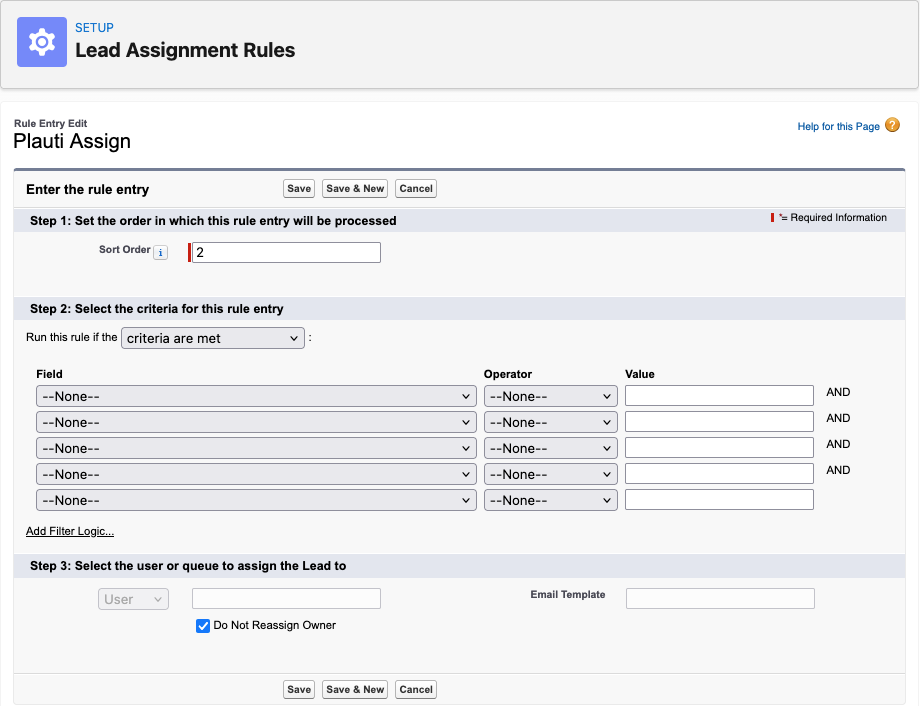
Step 1: Set the Sort Order to 2
Step 2: Don't change anything
Step 3: Check the 'Do Not Reassign Owner' checkbox. Save.
Once you have set up this rule, any lead (or other record you are assigning) that results in a NOMATCH will be assigned to the queue of your choice.