

Assign to Custom User Lookup Field(s)
Last updated
Sometimes you might have records that have multiple 'owners' that look after different aspects of the record. For instance, there might be a Technical Specialist on an Opportunity in addition to the Opportunity Owner. This feature allows you to create a Match Group that will assign to a Custom User Lookup field instead of assigning to the primary record owner.
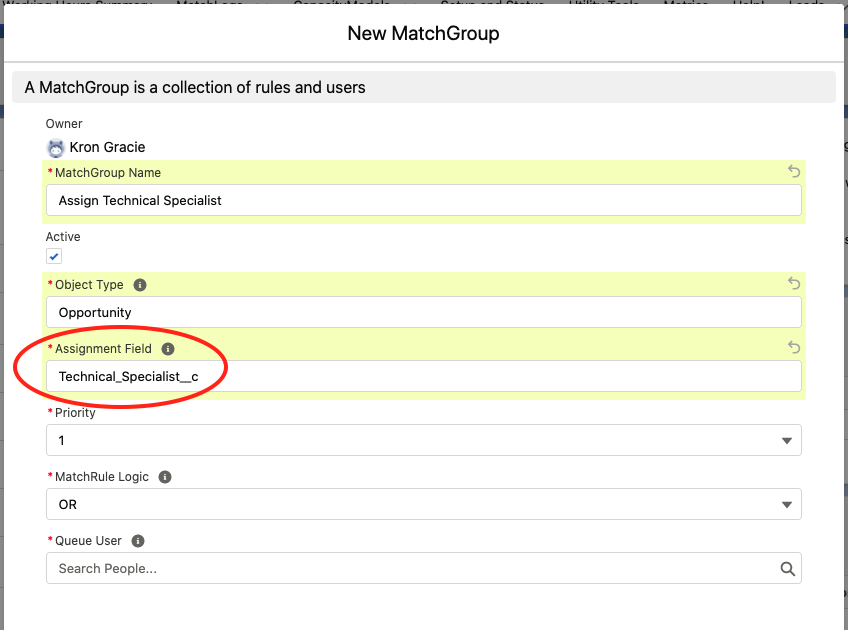
When you create or edit a Match Group, enter the API name of the field you want Plauti Assign to assign ownership to. By default it will assign to the primary record owner which is the OwnerId field. If you want to assign to a different custom User lookup field, like the Technical_Specialist__c field above, enter that in Assignment Field.
The Assignment Field must be of data type Lookup(User)
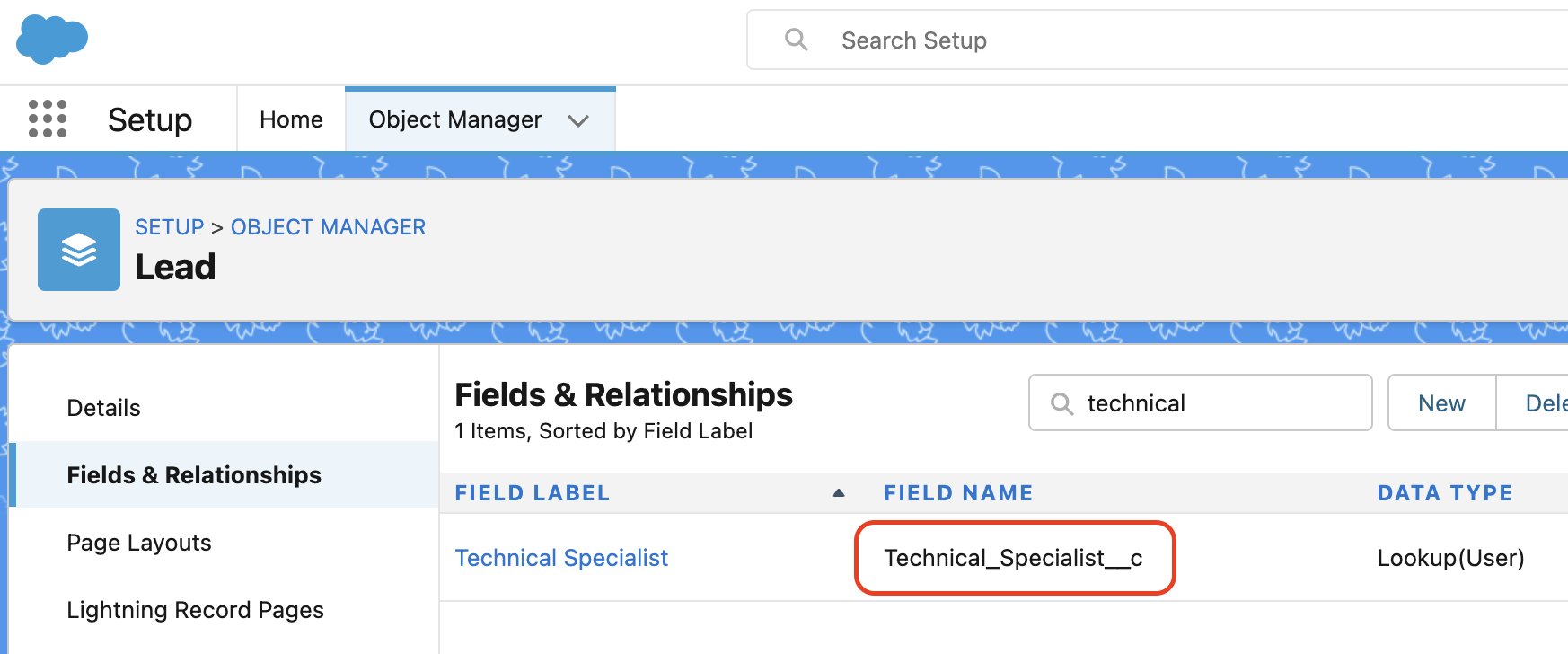
To find out what the API name is for your custom User lookup field, go to:
- Setup > Object Manager
- Scroll down or search for the object of interest and click on the name of it
- Go to Fields and Relationships
- Find the custom User lookup field that you want to assign to
- The API name is the value in the Field Name column (see below) and will usually end in c
Assigning To Multiple 'Owners' On A Record
As organisations get bigger and take on people with more specialised roles we often see records with several different 'owners' on a record, all with specific roles. For example you might have:
- The main owner (OwnerId)
- A Support Rep (Support_Rep__c)
- A Technical Specialist (Technical_Specialist__c)
- A Finance Contact (Finance_Contact__c)
The list goes on! Some of our customers use Plauti Assign to assign all of their custom team roles on the record. To do this, follow the steps above, creating one Match Group for every user lookup field that needs to be assigned.
Plauti Assign will then process all of these Match Groups in a single transaction, sending the relevant email notification emails (which can be customised per Match Group) and logging all the assignments to the Match Log.