

How to grant login access to Plauti Verify Support
Last updated
We probably asked you to grant us login access to investigate your support case. This article will show you how you can grant external access to the Plauti Support Team.
To grant access to Plauti Support:
1 Grant login access in Salesforce
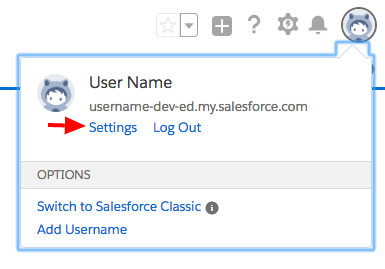
- Go to your profile menu and click Settings.
- Under 'My Personal Information', click Grant Account Login Access.
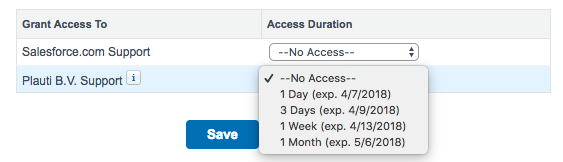
- At Plauti B.V. Support, grant access for at least a few days, so we have sufficient time to investigate your case.
2 Inform our Support Team of your ORG ID
- Find your ORG ID in Salesforce.
- Inform Plauti Support that you have granted access and send along your ORG ID.