
Wrong old layout still showing when editing matching rules

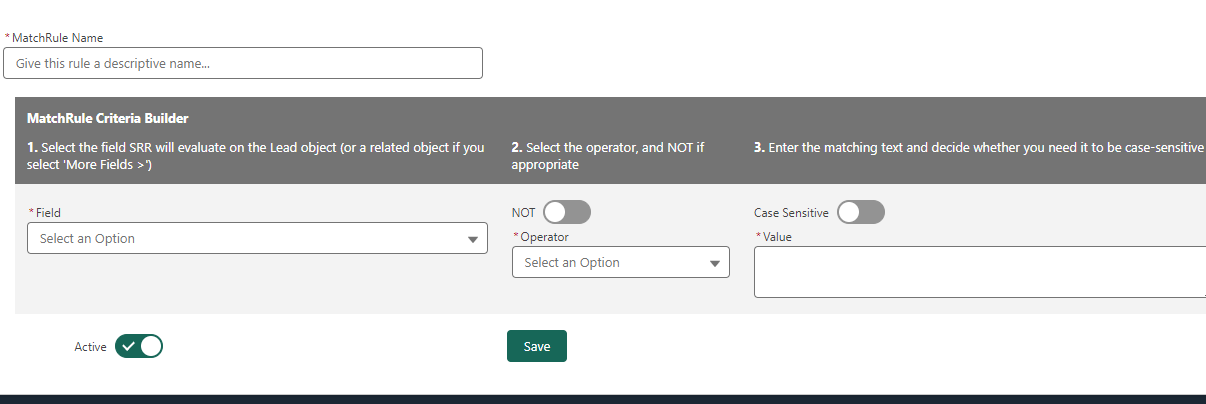
not long ago we got a nice improvement on how to create rules, where we wouldnt need to type anymore the api name of the field but they would be selected in picklist type so we avoid spelling mistakes:
but then when we want to edit one of the existing rules using edit button still we have to do it using the old version:
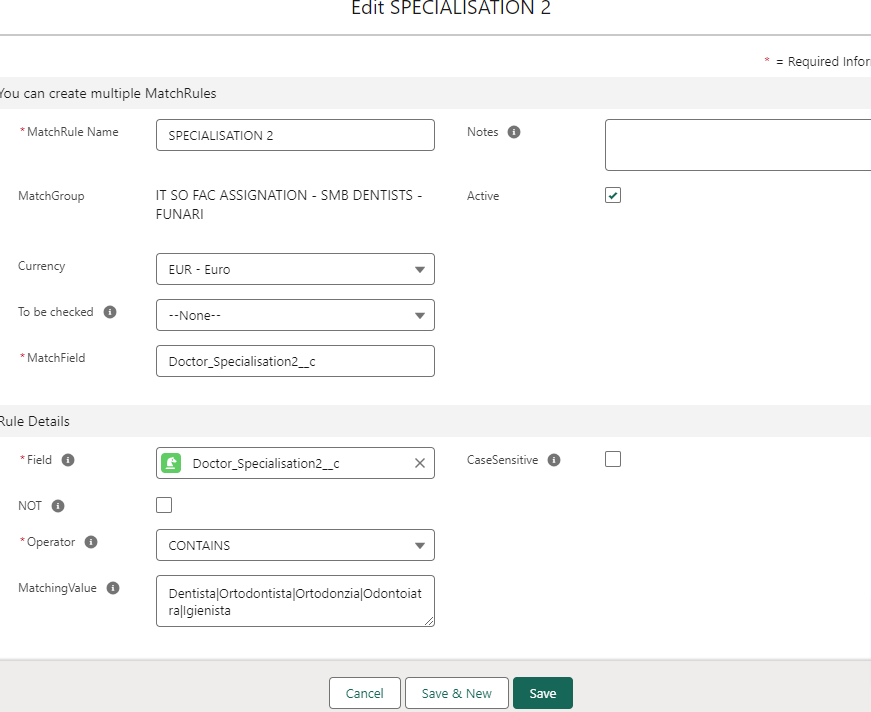
Isnt it possible to have the same process for creation and edit?
  1. Open for votes
  2. Planned
  3. In progress
  4. Completed

Discussion (1)

  • JV
    Johan van den HoekPlauti13 Apr 2026, 14:59

    Thanks for your feedback.

    This has been improved and will be part of the R4 release coming out in June, where we will guide users to the new UI (released in 2025).

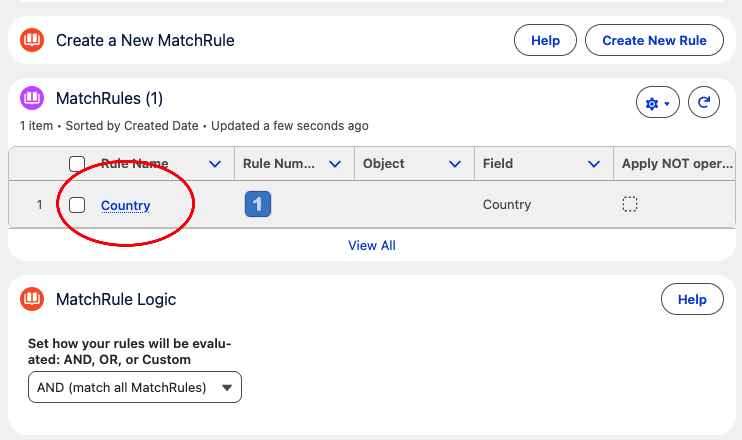
    Ps. When editing a rule in the old UI, do not scroll to the right and select Edit. That will open the Salesforce UI. Instead, click on the Name of the rule, and the correct edit modal will appear.

    Best regards,

    Johan van den Hoek
    Product Owner

Join the discussion and help shape the future of Plauti.

Once you're signed in, you'll be able to:

  • Vote on ideas
  • Share your thoughts
  • Submit new ideas