
Stolen card (banking & insurance)
"My debit card is missing, and there are already two transactions I don't recognize. I need the card blocked and the money refunded as soon as possible."
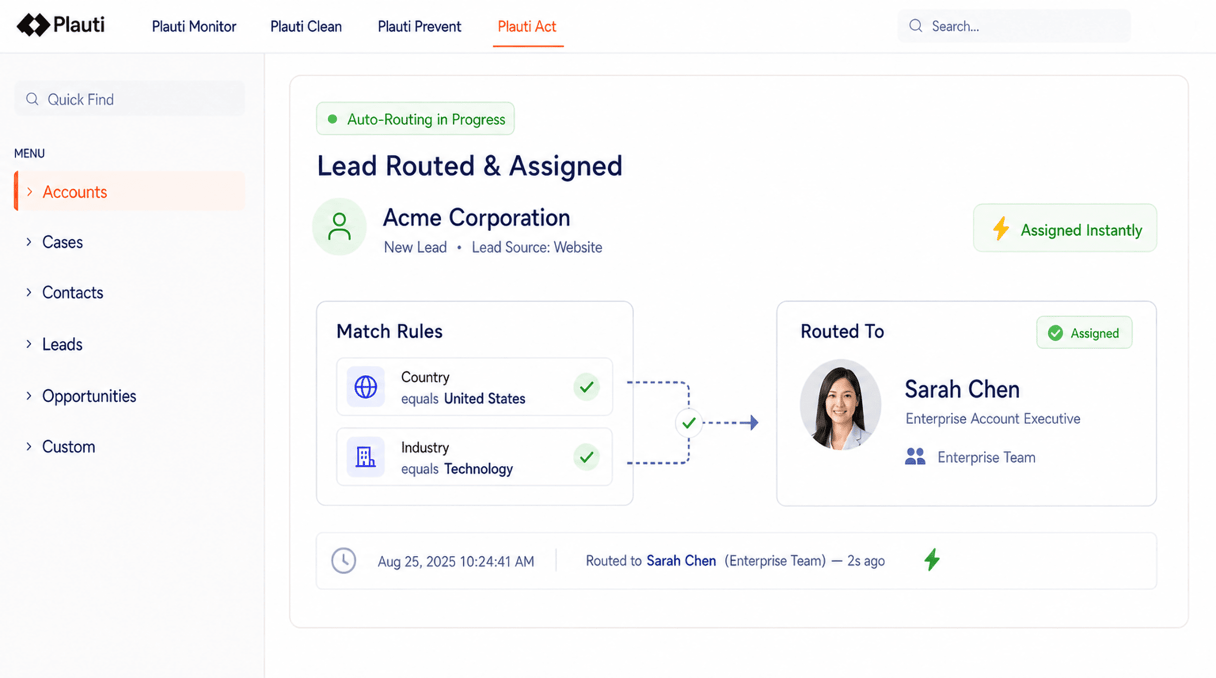
Case descriptions arrive as free text, in different languages, often written under stress. Your AI reads each one and sets a clean category field. Plauti reads that field and routes the case to the right Salesforce queue.
Case text is messy. Customers write in their own words, in different languages, and often under stress. But Salesforce needs a clean category field to route reliably.
You don't have to choose between free-text reality and rigid routing rules. Point your AI at the case text (running on its own, or through Plauti's field automation) and have it set one clean field. Plauti reads that field and routes the case. No keyword rules to maintain.
"My debit card is missing, and there are already two transactions I don't recognize. I need the card blocked and the money refunded as soon as possible."

"I just checked into room 612, and the bathroom is dirty, there are used towels on the floor, and the trash hasn't been emptied."

"I did not receive my order, and the tracking hasn't updated for three days."

"My heating broke down this morning at my home in Woodbury, Minnesota. The radiators are cold, and the thermostat isn't responding."
Your AI reads the case and sets the category. Plauti reads the category and routes the case. Two clear steps, not one long rule engine.
Your AI model, run on its own or through Plauti's field automation, reads the case description and sets a normalized category field. For example: "Card issue / Lost or stolen card," "Room issue / Cleanliness," "Delivery issue / Package not received," or "Equipment issue / Heating failure." You control the category list, from a short set of options to a detailed taxonomy per product line.
Plauti reads that AI-generated category and routes the case straight to the right specialist queue. For example: the fraud team for "Card issue / Lost or stolen card," housekeeping for "Room issue / Cleanliness," the logistics team for "Delivery issue / Package not received," field service for "Equipment issue / Heating failure." No keyword-matching rules. No formula fields to maintain. One field, set by your AI, read by Plauti.
Admins choose which AI model runs, which fields it can read and write, which category values are valid in Salesforce, and which queue or owner each category routes to.
Every rule lives in Salesforce configuration you can see and edit. There's no hidden logic to reverse-engineer when a case lands somewhere unexpected.
One clean field changes the day for everyone who touches a case.
Routing stops being a maintenance job.
Cases arrive already sorted, so the team spends less time reassigning them.
Their issue reaches the right specialist without a detour through a generic queue.
Plauti doesn't care which AI model set the category. It just reads the final field. Start with a simple model, then move to a better one. Run different models per business unit or language. Adjust category definitions without touching Plauti's rules. Your routing logic stays in place while your AI stack changes underneath it.

See how your AI and Plauti turn free-text cases into clean, routed records in Salesforce.