Plauti Verify

Bad contact data breaks trust, wastes budget, and ruins your automations and AI

Validate and format every email, phone, address — in Salesforce

Keep your data clean, compliant, AI and operations-ready.

Bad contact data doesn't just clutter your org.

It breaks automations, affects campaigns, and puts you in cleanup mode every time someone complains a record is wrong.

Does this sound familiar?

Emails bounce constantly
Marketing blames you for bad data.
Addresses are incomplete or wrong
Deliveries fail. Service teams complain daily.
Firefighting
4 + hours lost weekly on manual cleanup and double-checking.

You and your teams deserve better.

You shouldn't be the one manually fixing records after every import, form submission, integration sync or something breaking.

Here's what changes when contact data is validated automatically:

Up to 96% email deliverability
No bounces. No manual cleanup.
70% fewer failed deliveries
Less returned mail. Fewer support tickets.
78% faster data entry
Users enter records once, correctly.
Last year, we sent our Christmas emails without Plauti Verify, and the delivery rate was 85%. This year, with Marketing Cloud and Plauti Verify, it was 96%.
Hans van den Bosch
Hans van den Bosch Global CRM Program Manager, Xerox
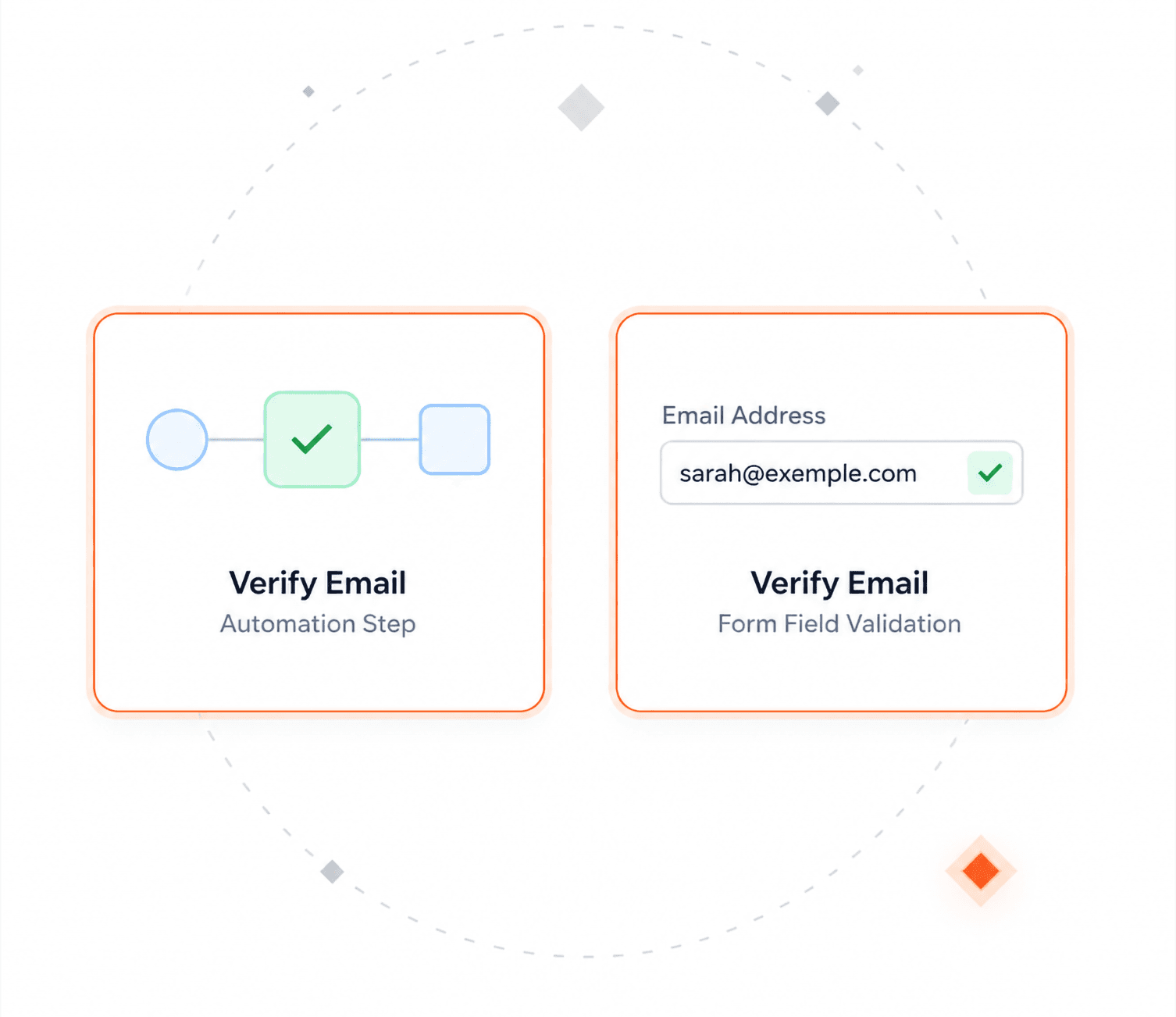
Email validation

Email delivery up to 96%


  • Checks if addresses are valid and deliverable.
  • Returns status codes (valid, risky, invalid, unknown).
  • Works on insert/update, jobs, Flows, and REST API.
Address validation

Reach the right mailbox

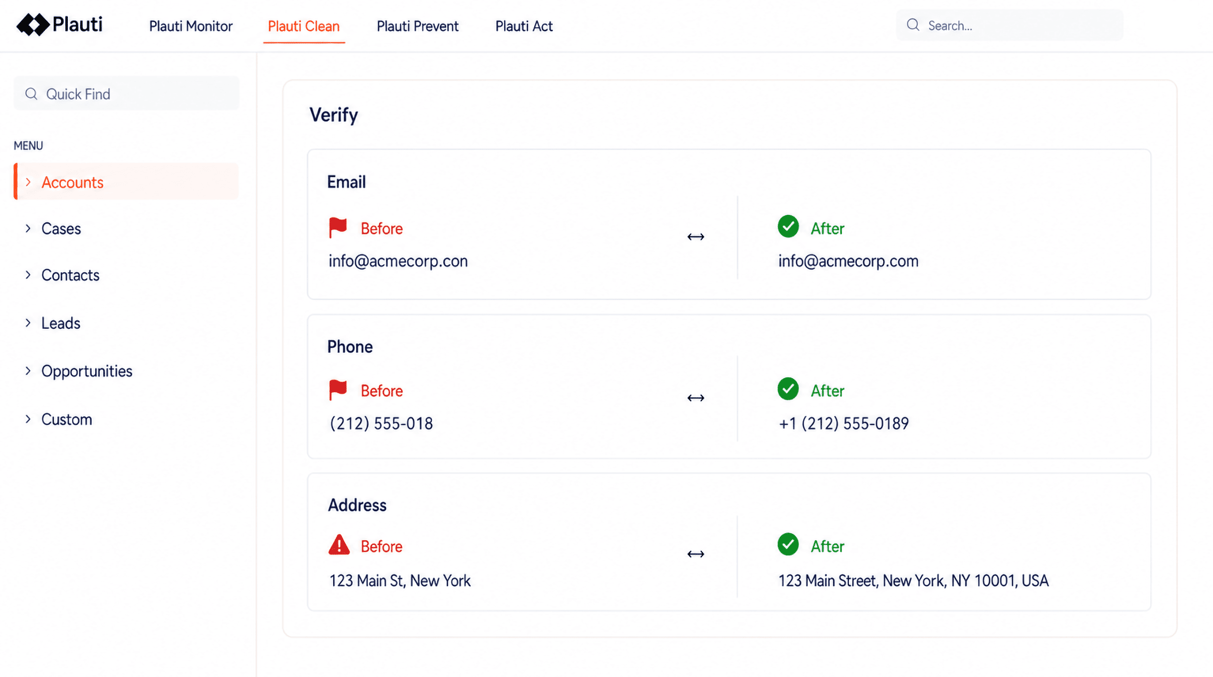
  • Parse and validate postal addresses.
  • Supports 240+ countries and territories.
  • Geocodes (latitude & longitude) and address auto-suggest.
Phone number validation

Give reps valid phone numbers they don’t have to fix first

  • Normalize numbers to a single, clean format.
  • Validate country codes and number structure.
  • Optionally enforce formats.
Two of our core values are speed and results. So for us, Plauti is a game changer because we’re able to quickly and easily ensure that data is accurate, both in terms of verifying that we have the correct phone and email, and in the sense that when we say we have one lead for this event, we have one lead for this event. We don’t have duplicates falsely inflating stuff.
Alex Casey
Alex Casey Sales Technology Innovator, Wedgewood Weddings

Validate and verify email, phone, and address data within Salesforce

Built into Salesforce
Designed for admins, easy to integrate.
Customizable
Integrates into any process.
Scalable
Handles millions of records.

Want a data quality check first?

Try Plauti Context:

  • Metadata documentation 
  • 20+ data quality analyses 
  • Ongoing monitoring and trends
 I just really like that it’s all built in. As you enter a new lead, it tells you right there there’s a duplicate or the email is wrong. Again, we’re just saving time and making everything a little more efficient. ”
Alex Casey
Alex Casey Sales Technology Innovator, Wedgewood Weddings
Give Plauti Verify a try for yourself—no strings attached.
Try for free

Verify all data - old and new

For legacy data, run bulk validation jobs directly in Salesforce to verify up to millions of records.

For new data, protect every entry point, from massive imports to single record updates, letting only good data in.

HOW IT WORKS
Scroll through the features below
Quick Entry

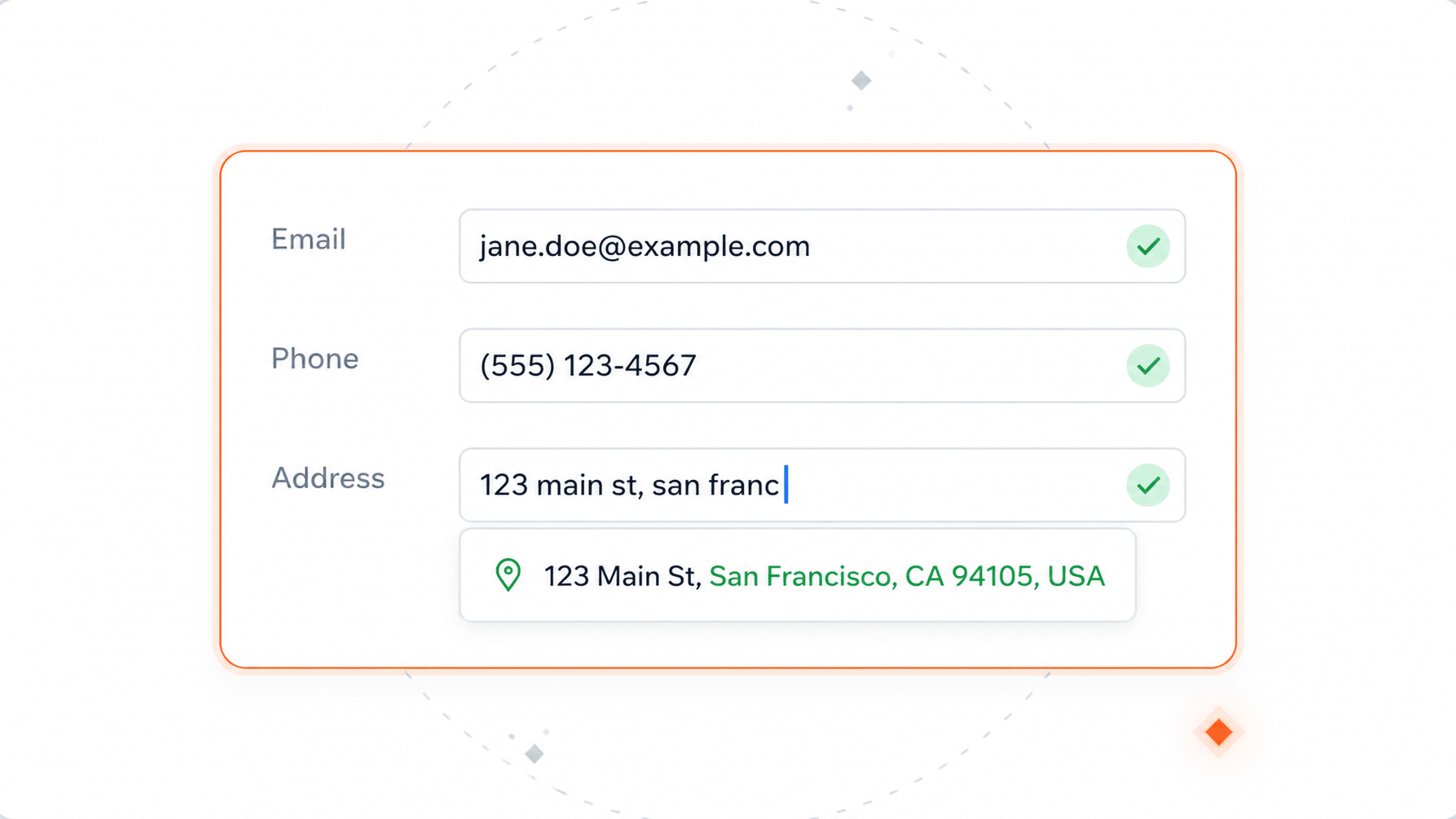
Plauti Verify for Salesforce can format and validate email addresses, phone numbers, and addresses upon inserting or updating a record. This allows you to enter new information faster, without errors, and improves your efficiency.

Direct Validate

The Direct Validate feature automatically validates records that enter your Org through API insert or bulk upload. Use Direct Validate to validate your data immediately at the point of entry.

Address Validation

Plauti Verify streamlines and enhances your address data by parsing, standardizing, verifying, cleansing, and formatting it for over 240 countries and territories. Additionally, it automatically configures and maps your standard address fields for the Lead, Contact, and Account Object, but can be configured for any (custom) object in Salesforce. With Geocodes enabled, Plauti Verify adds geocodes to addresses that have not yet recorded their latitude and longitude. This ensures greater accuracy for your address records.

Batch Validation

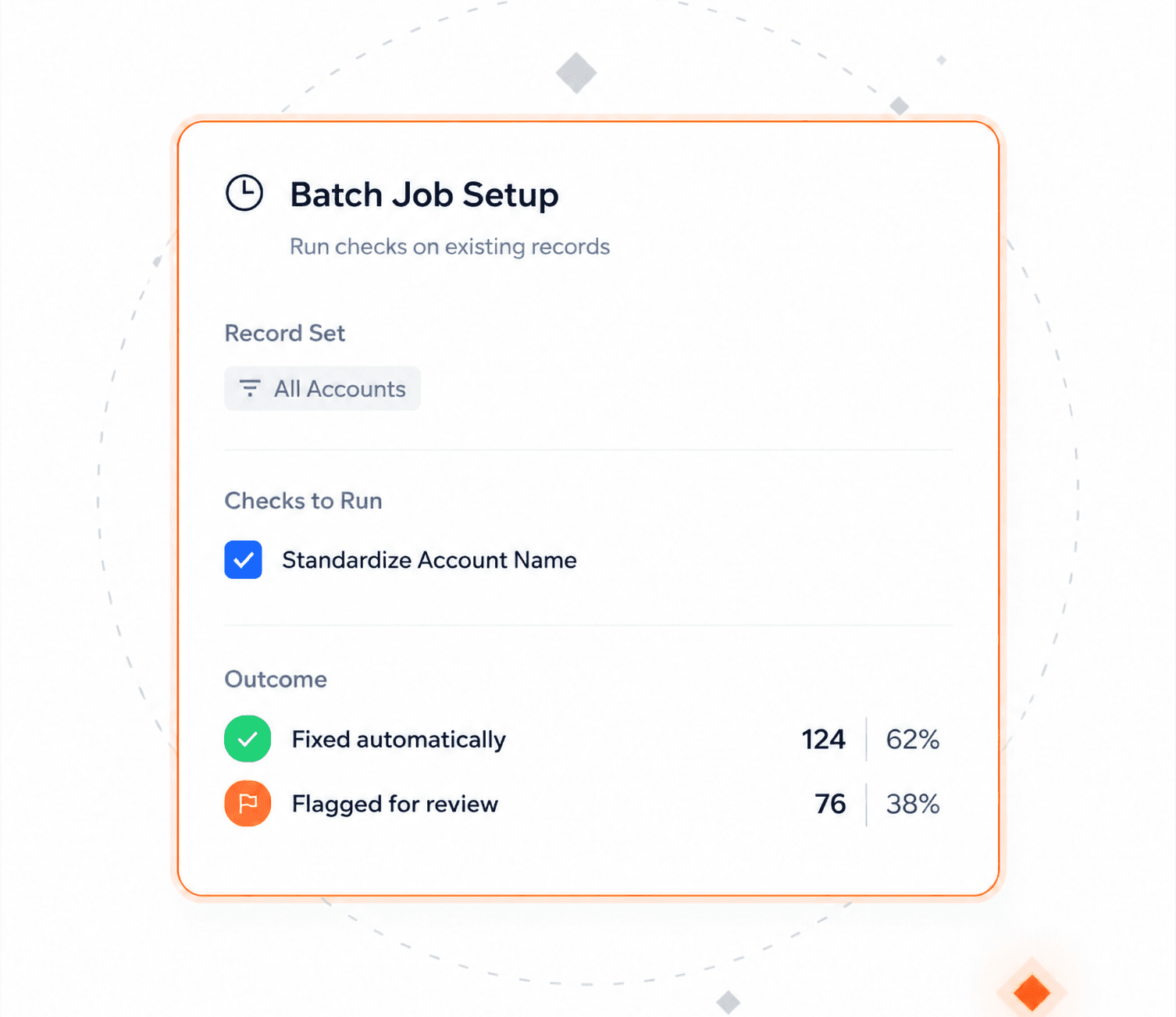
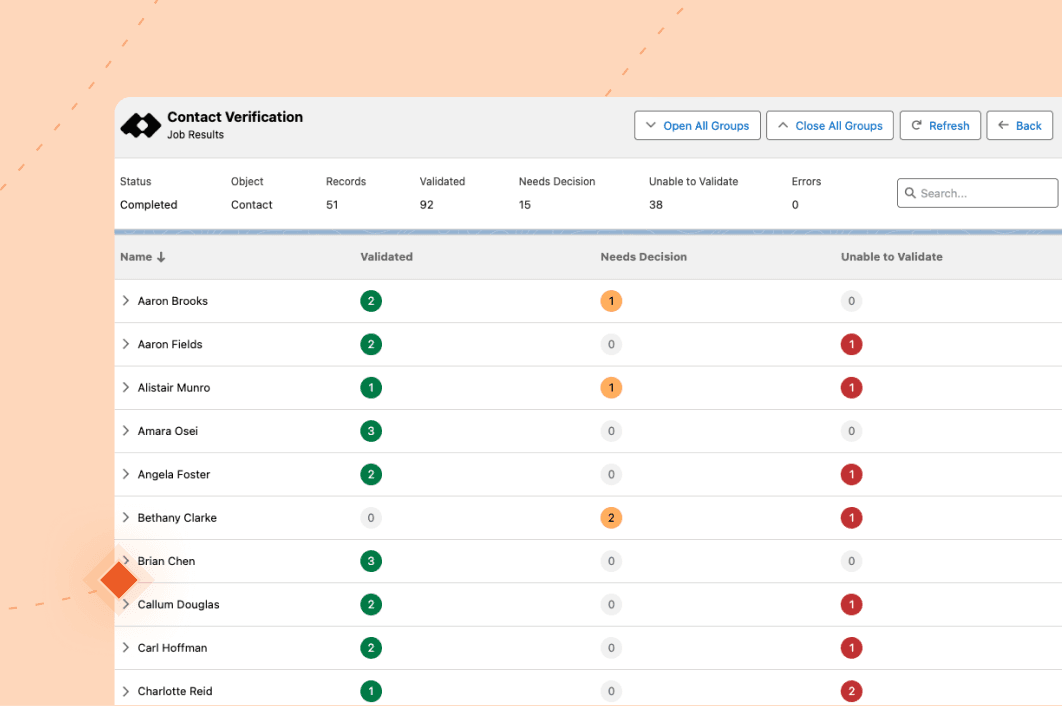
Run a Plauti Verify job and validate all existing records from within Salesforce. Configure a scenario to automatically process your validation results or choose to process them manually. There is no technical knowledge required when using our easy-to-use interface to validate records.

Reporting

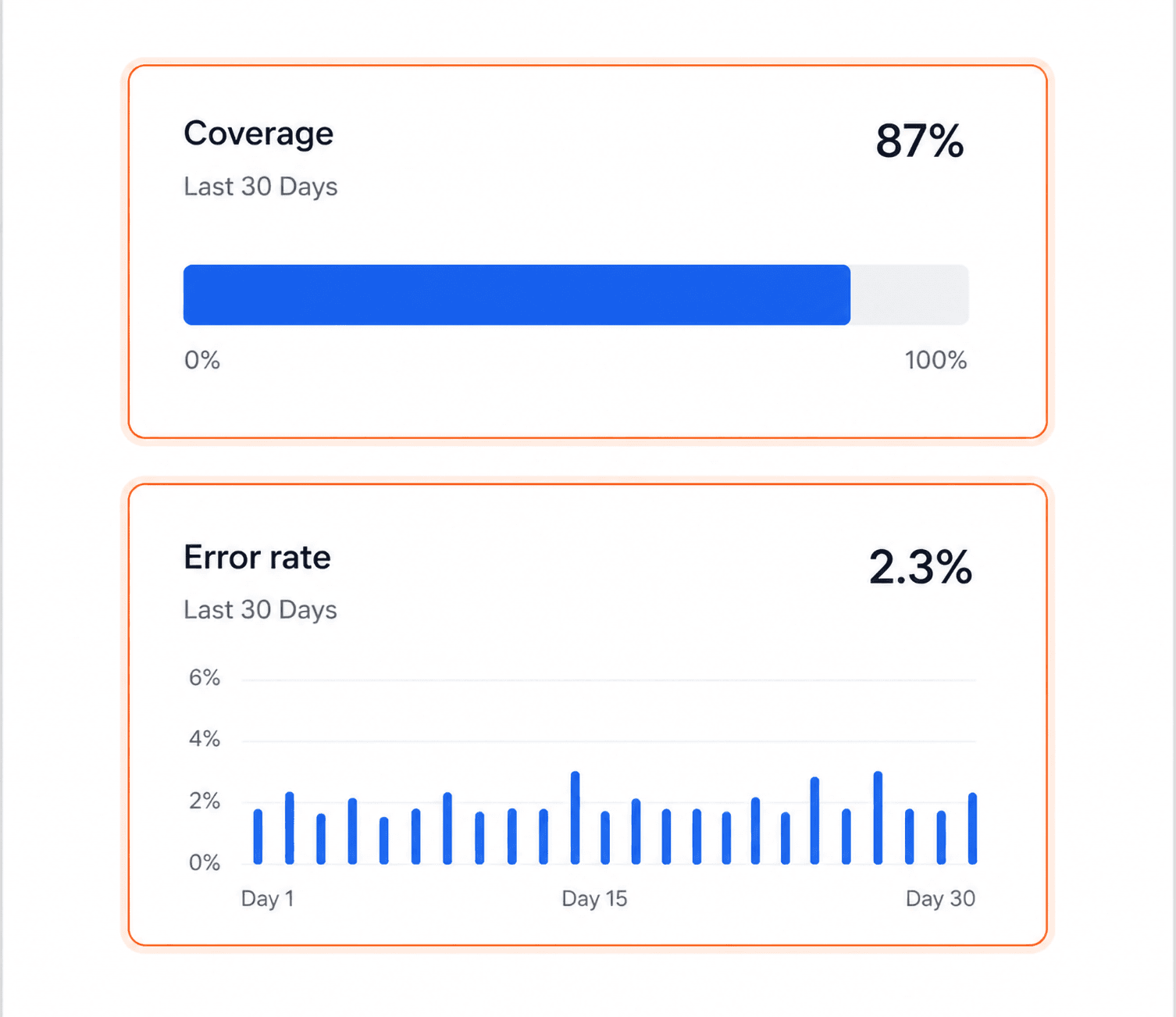
Get detailed information about data. What percentage of your data is incorrect? Why is it incorrect? How much progress has there been in validating data over the last few months? Share these insights fast and easily with the rest of your team.

Live Validation

Plauti Verify Live is a Lightning component you can add anywhere on your record page layout. It allows you to quickly validate Address, Email, and Phone values for the record you’re working in.

Plauti Deduplicate Integration

Start creating Data Happiness and get a validated and duplicate-free Salesforce. Plauti Verify and Plauti Deduplicate are a match made in heaven. Together, they help you to validate and dedupe your Salesforce. Install all our products and start working with validated, formatted, and duplicate-free data.

Integrate into your custom processes

Plauti Verify offers an easy-to-use Apex and REST API and Flow Actions to format and validate records anywhere in and outside Salesforce.

Plauti Verify FAQ
What do you do for emails?

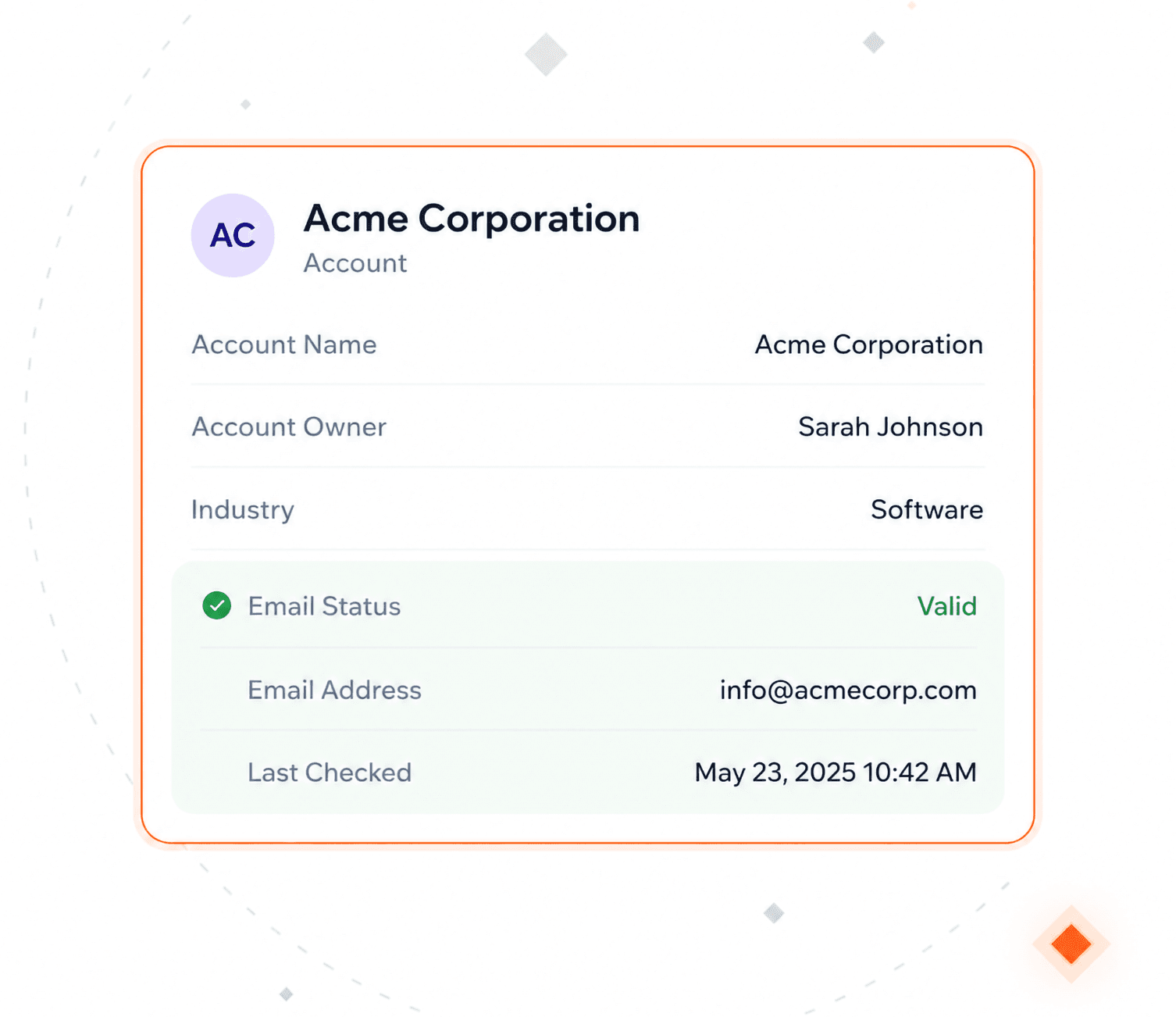
Plauti Verify checks if emails are syntactically valid, deliverable, and safe to use, then stores standardized values and status codes on the record so you can segment, filter, and automate on “good vs risky” emails.

What do you do for addresses?

Plauti Verify parses and validates postal addresses against reference data, normalizes them to country-specific formats, and can add geocodes plus status codes to support routing, territory management, and reporting.

What do you do for phone numbers?

Plauti Verify validates phone numbers and normalizes them into a consistent format (for example E.164, based on your config), so numbers are dialable, comparable, and ready for CTI, flows, and reporting.

Where and when does validation run?

You decide where to plug PV in. Validation can run:

> On create/update in the UI (including screen flows).

> In background automation (flows, Manipulate Direct Actions).

> In scheduled/batch jobs over existing data.

> Via REST APIs from external forms and systems.

You configure which objects and fields are validated at each point.

How will this work with my own processes?

Plauti Verify fits into your current Salesforce setup:

> Works on standard and configured custom objects.

> Uses your flows, validation rules, and automation triggers.

> Writes back normalized values and status fields you can use in assignment, segmentation, routing, and deduplication.

You control when it runs and how its outputs drive your processes.

How do I see it in action?

You can:

> Install in a sandbox and run validations on sample records.

> Use the out-of-the-box PV dashboards and reports to see validation outcomes.

> Request a guided demo focused on your specific objects, fields, and flows.

What objects does Plauti Verify support?

Plauti Verify supports: Standard objects (Lead, Contact, Account) and Custom objects (any custom object you configure in PV Object Settings, as long as it has email, phone, or address fields mapped).

Does Plauti Verify only validate, or can it also format data?

Plauti Verify both validates and formats:

Email: Validates and stores a standardized value.

Phone: Normalizes numbers into a consistent, configurable format.

Address: Parses, standardizes, and formats by country; geocoding is optional.

How does Plauti Verify help with deliverability?

Plauti Verify improves deliverability by:

> Detecting and excluding invalid or risky emails and addresses before campaigns.

> Standardizing data so routing and matching work reliably.

> Providing status codes and validation dates so you can re-check older data and maintain list quality over time.

How does Plauti Verify interact with deduplication?

Plauti Verify and Plauti Deduplicate are designed to work together:

Plauti Verify: cleans and standardizes emails, phones, and addresses.

Plauti Deduplicate: uses those clean values to find and merge duplicates more accurately.

The result is higher match quality and lower risk of incorrect merges.

Can I use Plauti Verify in flows?

Yes. Plauti Verify provides Flow actions such as: Validate Address (Screen Flow), Validate Email (Screen Flow), Validate Phone (Screen Flow), Save Validation Results (Background Flow). Use screen flows for interactive validation and background flows for automation. 

WHY USERS LOVE PLAUTI VERIFY

Top-rated on Salesforce AppExchange

Biaf Chalabi
Plauti is easy to set up and use and the support is always there to support you in all challenges
Biaf Chalabi / Application Expert - Systems at TriFinance
The servicedesk of Plauti really goes far and beyond to make sure you are being assisted and helped with your functional requirements. I was trying to set up Plauti Verify (mobile check) in a flow so that after insertion or change of a mobile number within a record in Salesforce the number gets validation and standardized automatically. Plauti was able to help me really well and assisted in building a flow to accomplish my requirement. They even went further and made sure that every technical issue I was facing during the configuration of this flow was being solved as soon as possible.
Rens Verhagen
Great support and highly customizable
Rens Verhagen / Senior Salesforce Consultant at Capgemini
I tried this app for clients who work in lightning experience and wanted to validate their (address) data. Installation is easy. Support is also great.
Plauti is easy to set up and use
Biaf Chalabi / Application Expert - Systems at TriFinance Holding B.V.
The service desk of Plauti really goes far and beyond to make sure you are being assisted and helped with your functional requirements.