Skip to content
Prevent Validation at entry

Validate at entry

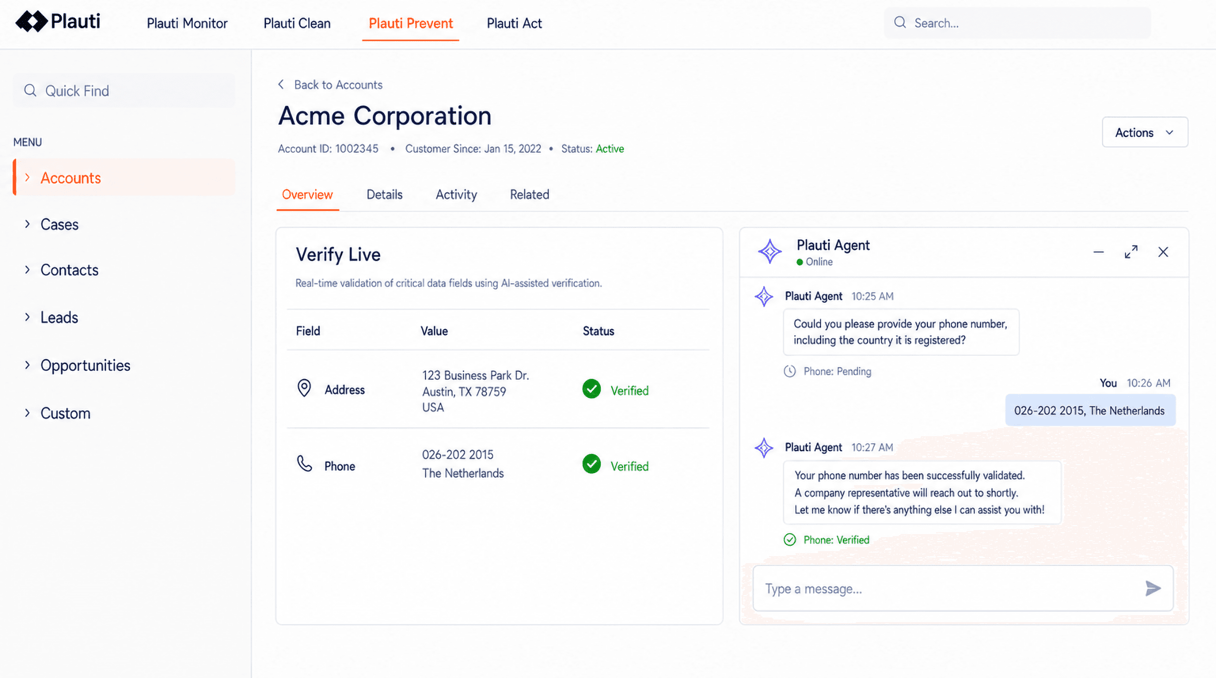
Email, phone, address verification. Someone types an address from memory. An integration posts an email with a typo in the domain. The check runs as the record is created, and writes back a status, a standardized value and the date it was checked.

What changes at the moment a record is created

Before Plauti

  • A mistyped email surfaces when the campaign bounces.
  • Records from imports and integrations are never checked.
  • Nothing says whether a record was ever checked.
  • Emails bounce constantly, deliveries fail.

WithPlauti

  • It surfaces while the record is still open.
  • The same check runs, whatever created the record.
  • A status and a date sit in fields you own.
  • No bounces. No manual cleanup. Less returned mail. Fewer support tickets.

Multiple checks, one configuration

You choose which fields are validated and which fields hold the results.

  • Email

    Checks whether an address is well-formed and whether mail can actually be delivered to it. The result comes back as valid, risky, spam trap, invalid or unknown, so bounces stop eating into your sender reputation.

  • Phone

    Normalizes the number to one format and checks its country code and structure, so what sales and support dial actually connects.

  • Address

    Parses, standardizes and validates against reference data for over 240 countries and territories with optional geocoding, so deliveries, routing and territories land where they should. Suggestions let the person pick a real address instead of typing one.

  • Behaviour at volume

    Your CRM's own automation builder works one record at a time and hits limits on bulk work. Large loads run through batched actions that stay inside those limits.

Does it work the way you need it to?

What admins check before validation runs on production data.

  • Scope and permissions

    You choose the objects and fields in scope, and which fields hold the status, the formatted value and the date. Your existing profiles, permission sets and sharing rules apply.

    • Configured per object and per field.
    • Standard contact-holding objects out of the box; custom objects once mapped.
    • No second login, no parallel access model.
  • What leaves your CRM

    Only the single value being checked is sent to a specialist validation partner, and the result is written back. No bulk export, no mirrored copy of your records.

    • Only the value being checked is sent.
    • No external system of record.

Customer quote

Validate at entry

“The validation happens as the user keys in the data which has really improved the user experience & accuracy of data. No more duplicates either.”
The Landmark Trust logo

Michca Morris — IT Programme Manager

The Landmark Trust

The Landmark Trust

Frequently asked questions

Isn't this what a validation rule already does?

A validation rule can require a field and check its shape — that an email contains an @, that a postcode is the right length. It cannot tell you whether mail sent there will arrive, whether a number is dialable, or whether a street exists. This checks the value against reference data and writes back a status, a standardized value and the date it was checked.

Does it stop the record from being saved?

No. It returns a result and, for addresses, a suggested correction. On the record page the person sees it and can accept the correction before saving. On insert from an import or an integration the record is written and carries its status, so you can filter, route or hold on that status rather than lose whatever new information it brought with it.

Does our data leave the CRM?

Only the value of the field being checked does. That single value goes to a specialist validation partner and the result comes back into fields you own. There is no bulk export and no external system of record holding a copy of your data. Email and phone checks stay in the region you set in configuration; address validation does not currently carry a regional guarantee.

See how it works

Talk with one of our experts to see how that works for your use case.