Skip to content
Act

Assign records to the right person

Automatically assign any standard or custom object. No manual effort, just flexible rules and a routing path you can always explain.

What changes when routing runs on flexible rules

Before Plauti

  • A record sits unassigned because the one rule that could have routed it never fired.
  • Records keep landing on whoever is on holiday, or on the person already carrying double.
  • Someone disputes an assignment and there is no way to show what the record looked like when it routed.
  • An untouched record stays with the first person who got it.

WithPlauti

  • Groups are evaluated in order and a record that matches none of them is flagged, not left silent.
  • Working hours, out-of-office and a capacity cap decide who is eligible before the rotation picks anyone.
  • Each attempt stores the rules that ran and the field values at that moment, and is never overwritten.
  • An SLA timer reassigns it, skipping whoever missed it, up to a limit you set.

Assign on your rules, not a rigid rotation

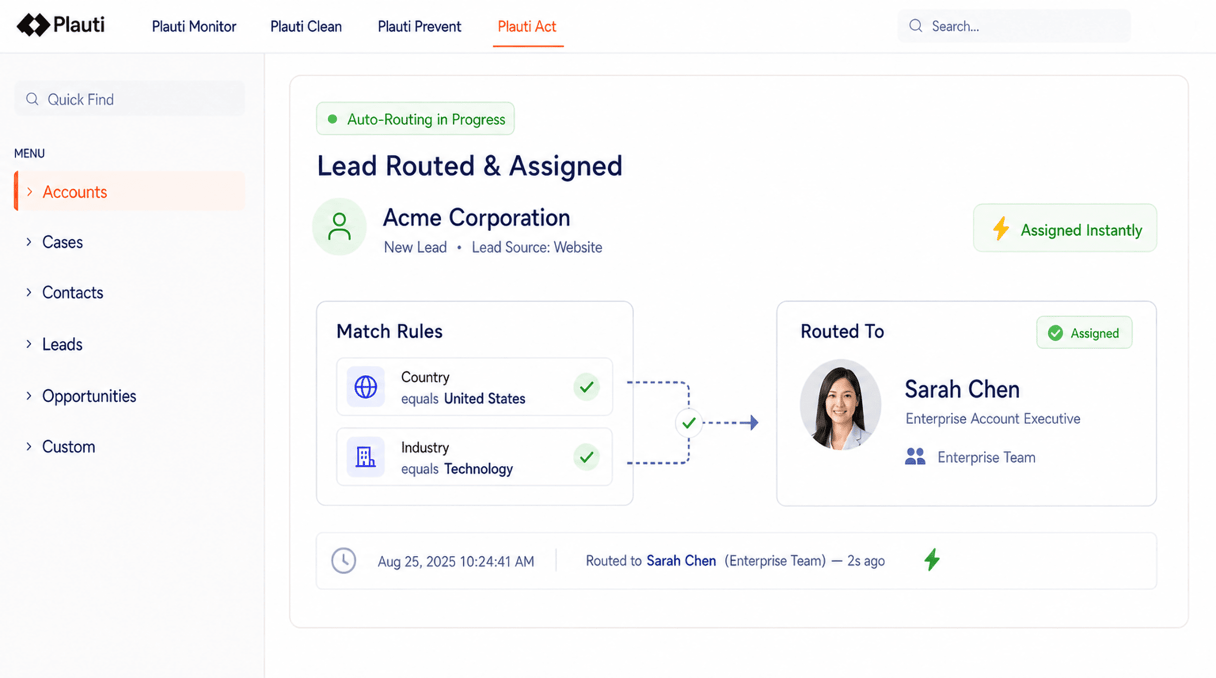
A plain rotation ignores who is on holiday, who is already buried, and who already owns the account. MatchGroups pair your match rules with the people allowed to receive those records; then availability, capacity and skills decide who actually gets it.

  • Set up routing with clicks, not code

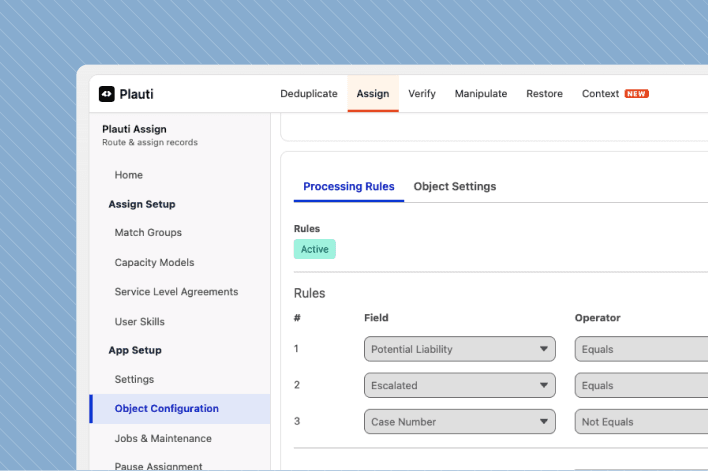
    A MatchGroup holds the conditions a record has to meet, plus the people who can receive it. Build those conditions from any field, and combine them with AND, OR or your own rules.

  • Routing that bends to how the team works

    Round robin takes each assignee in turn, weighted if some should take more. Load balanced picks whoever carries the least work. Distance picks whoever is closest to the record.

  • Only people who can actually take it

    Working hours, shift patterns, out of office and calendar events decide who is available right now. A capacity model caps how much any one person holds. Assignee rules narrow it further by role, location or skill, so the record reaches someone qualified to work it.

  • Nothing sits waiting

    If nobody in the group qualifies, the record moves to a backup group you nominate. If it is assigned but not picked up in time, an SLA reassigns it and skips whoever missed. Assignees get an email, SMS or in-app alert the moment a record lands.

  • Every assignment can be explained

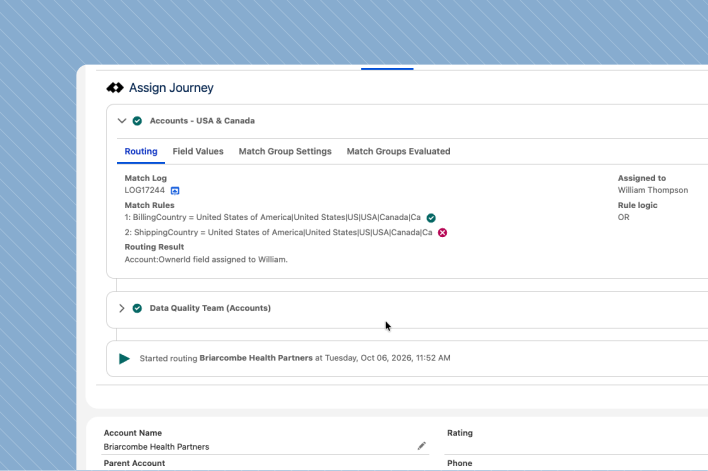
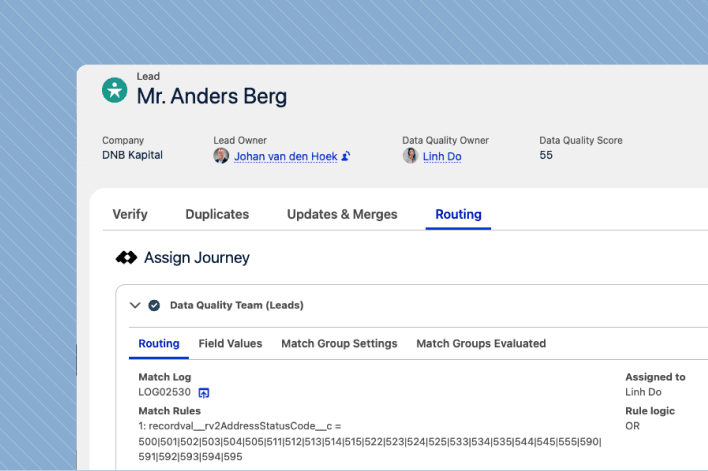
    Each attempt is stored: the rules that ran, whether each one matched, and the field values as they stood at that moment. Entries are never overwritten, so you can show why a record went where it did weeks after it happened.

Does it work the way you need it to?

  • Access in tiers, not all-or-nothing

    The people closest to the work can run day-to-day routing without reaching your global settings.

    • End users only receive records. No setup access.
    • A middle tier manages groups, rules, assignees and skills.
    • Settings, jobs and maintenance stay with the administrator.
  • Nothing is overwritten

    When someone questions an assignment weeks later, the record of it has not moved.

    • Every attempt is written as a new entry.
    • Field values are stored as they stood when routing ran.
    • Rules are captured as they were configured at the time.
  • Reassignment stops where you say

    Automatic reassignment is useful right up until a record starts bouncing between people.

    • Cap how many times one record can be reassigned.
    • Skip whoever missed it, or everyone who has held it.
    • Send it to a named owner once the cap is reached.
  • It fits the automation you already have

    Nothing has to be rebuilt, and what you already run keeps working alongside it.

    • Routing conditions live in the app, not in a separate flow.
    • Runs on create, on update, from your automation, or as a batch job.
    • Six objects ready to go; register any other standard or custom object.

Watch a record get routed.

Interactive product tours. No install, no sales call.

More product tours

Customer quote

Routing & assignment at scale

"Booksy went from 70 CRM users to more than 600, adding 50 sales reps a month, with developers spending up to half their time on assignment logic and the changes around it. Onboarding a new rep into the routing now takes two minutes instead of a two-week wait."
Booksy logo

Jakub Klimaszewski — Global Salesforce Manager

Booksy

Booksy

Frequently asked questions

How can records be distributed?

Distribute with round robin, weighted round robin, or send each record to the person carrying the lowest workload. You can also assign by availability, by distance, or by your own custom logic, all configured with flexible routing rules.

How do you make sure records only go to available reps?

Assignment takes account of out-of-office status, working or shift hours, and calendar availability. The available assignees in each MatchGroup are recalculated against your rules for every record, so work only goes to people who are genuinely free to take it.

Can I create custom routing logic if my process is not standard?

Yes. Plugin-based routing lets you implement your own logic in code, so records can be matched and assignees chosen against any business requirement, not just the standard methods.

Can routing use AI to consider customer context?

Yes. Pair routing with AI to assign records using customer context, history, segmentation and other key details, so each record goes to the most appropriate person or team every time.

Can I measure team efficiency?

Yes. A team performance dashboard goes beyond basic distribution metrics. It reports the records assigned to each team and each individual, tracks SLA handling times, and includes a leaderboard to highlight performance.
See how it works

Talk with one of our experts to see how that works for your use case.