Skip to content
Clean · MCP-ready, no UI

Headless deduplication.
You ask, AI acts.

Build scenarios, run jobs and merge from your AI assistant's chat, on the Plauti engine you already use.

  • Deduplicate from your chat
  • Tune scenarios with AI
  • Asks before it merges
  • Undo a merge with Plauti

From scenario to merge, in one conversation

Skip the setup screens. Ask in plain language, and the assistant picks the right deduplication action.

  • Connect to your CRM

    Ask the assistant to connect to production or a sandbox. It opens your usual login page in the browser, and you sign in as you always do.

  • Manage matching scenarios

    List, create, update or delete the rules that decide which records are duplicates. Try: “Why are these two companies not seen as duplicates?”

  • Run deduplication jobs

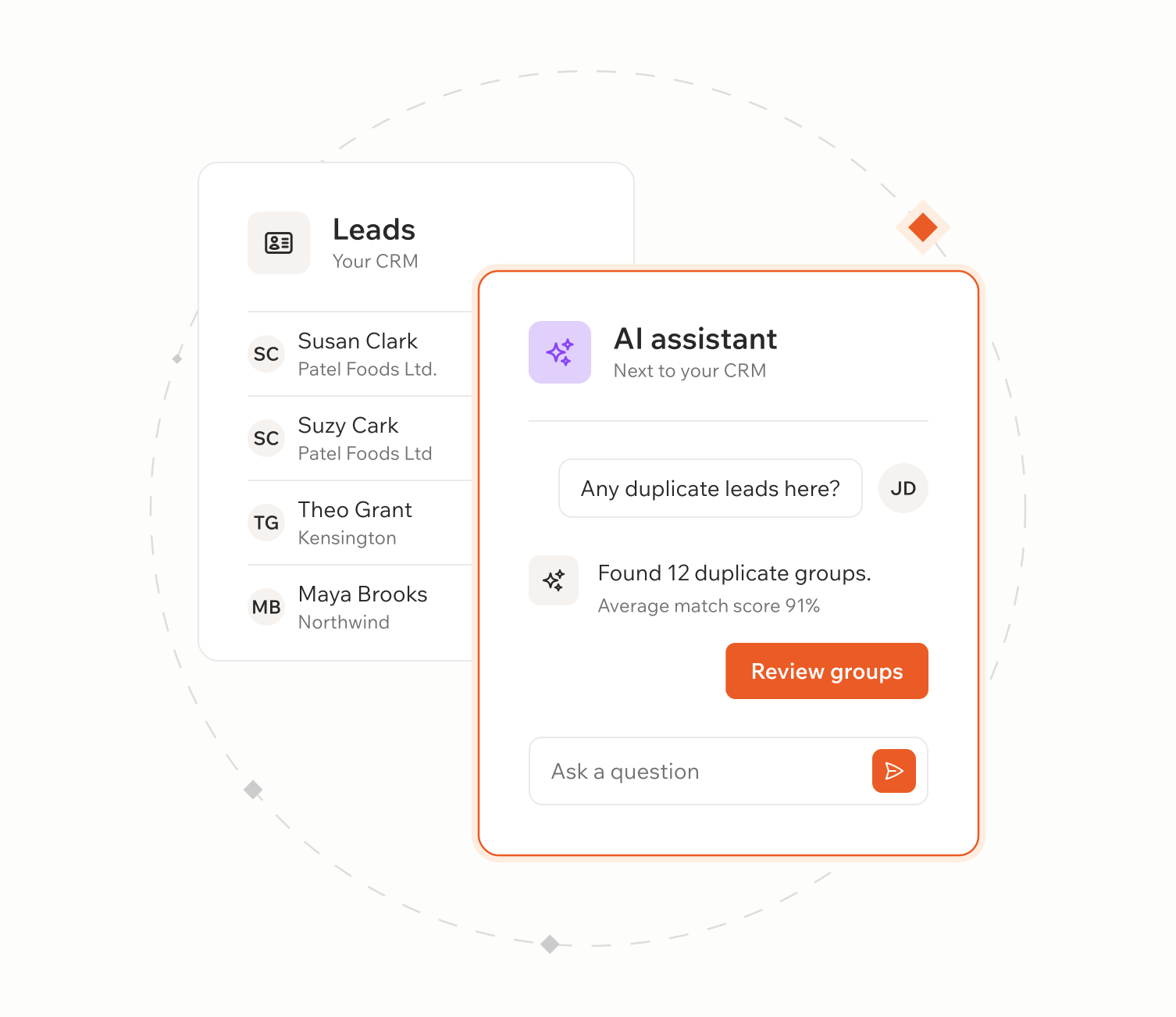
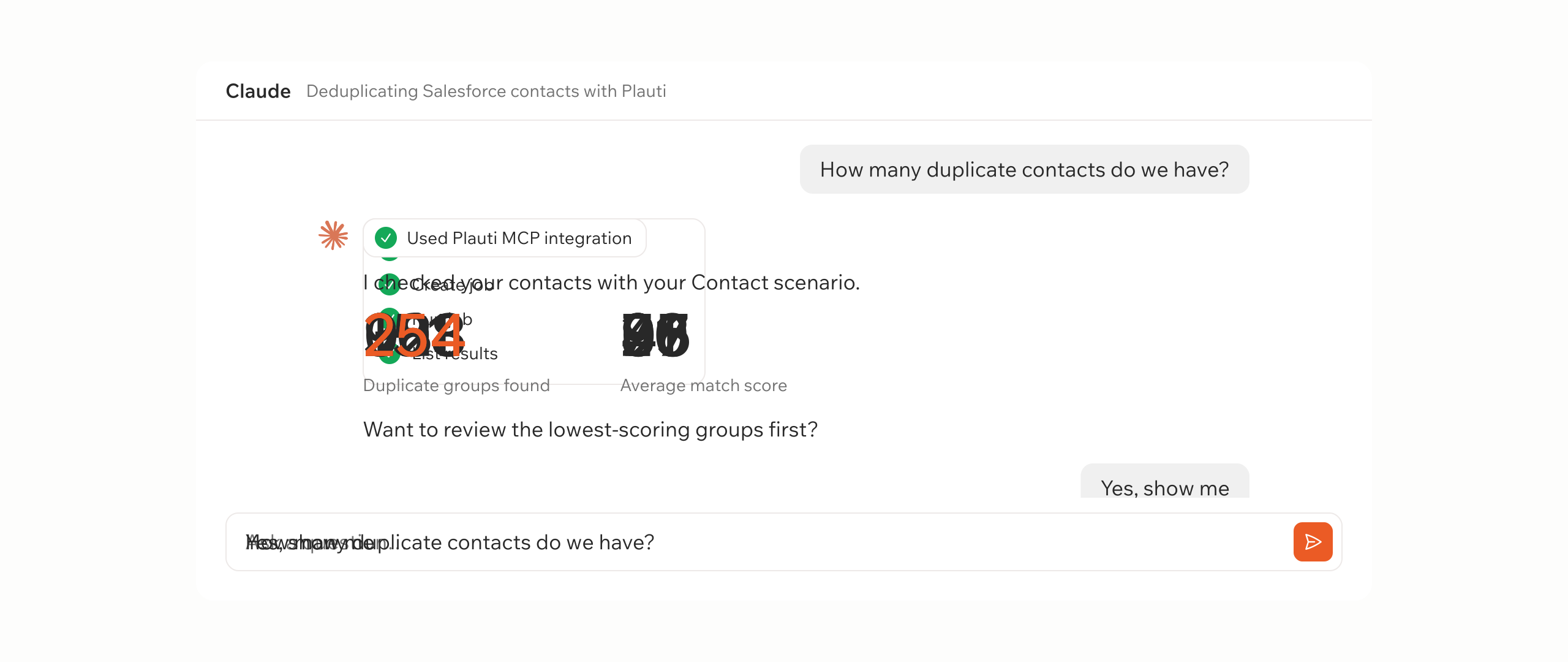
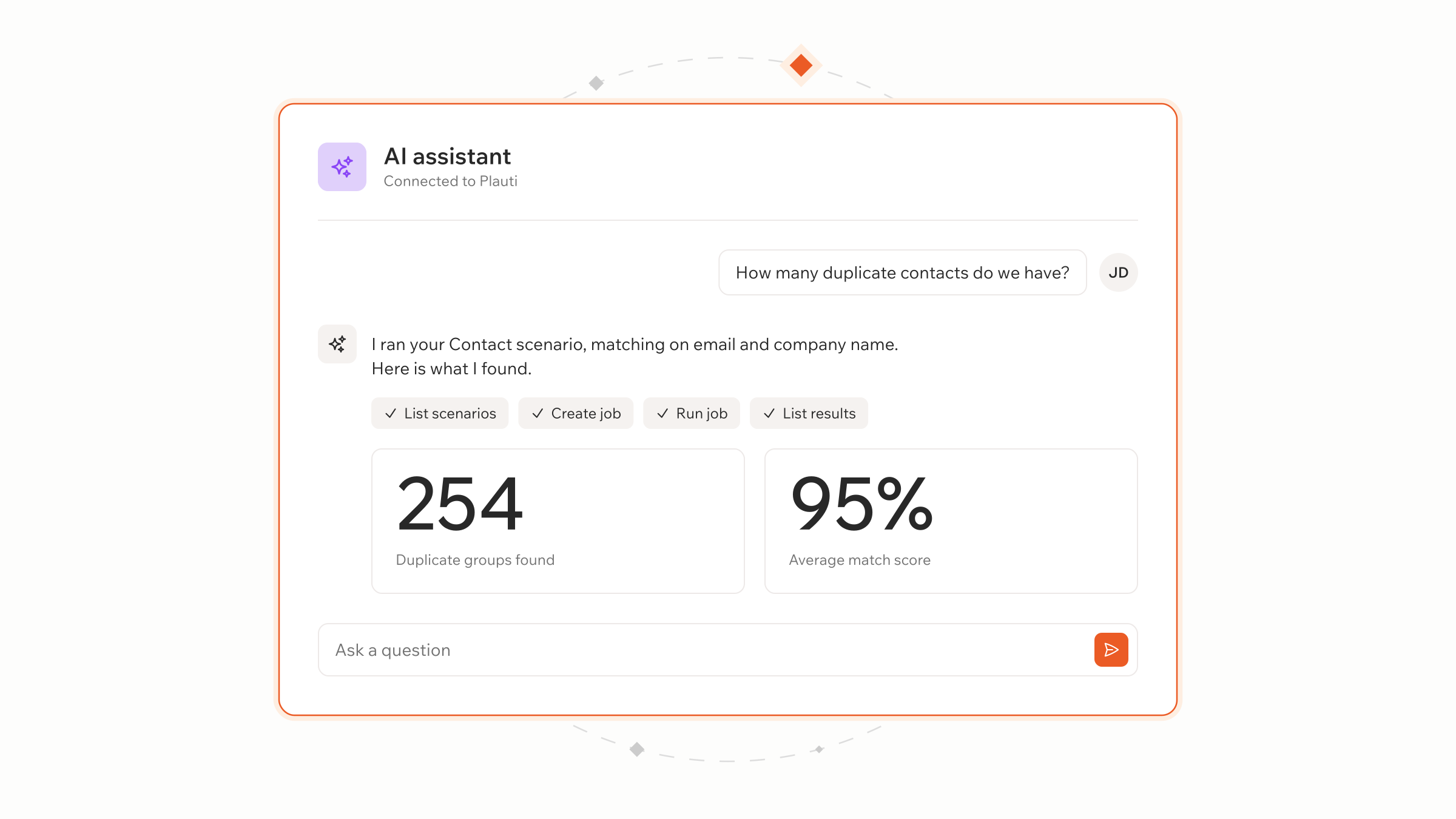
    Create and start a job, follow its progress, read the job log or stop it. Try: “How many duplicate records do we have?”

  • Review results

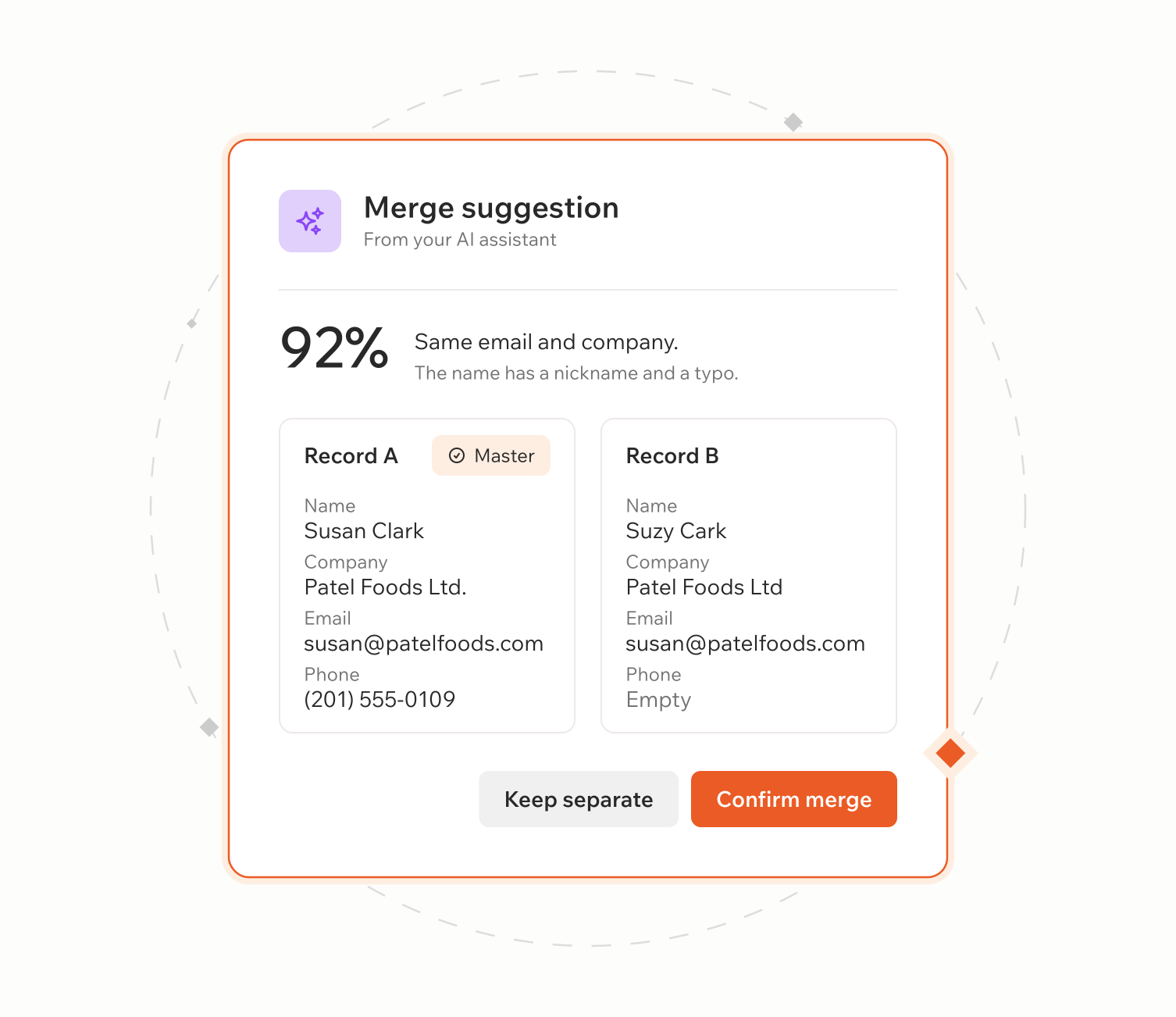
    See the duplicate groups and pairs a job found, with their scores and the record values side by side. Preview which record would be kept before you merge. Try: “Show me the 20 lowest-scoring groups from this job.”

  • Merge duplicates

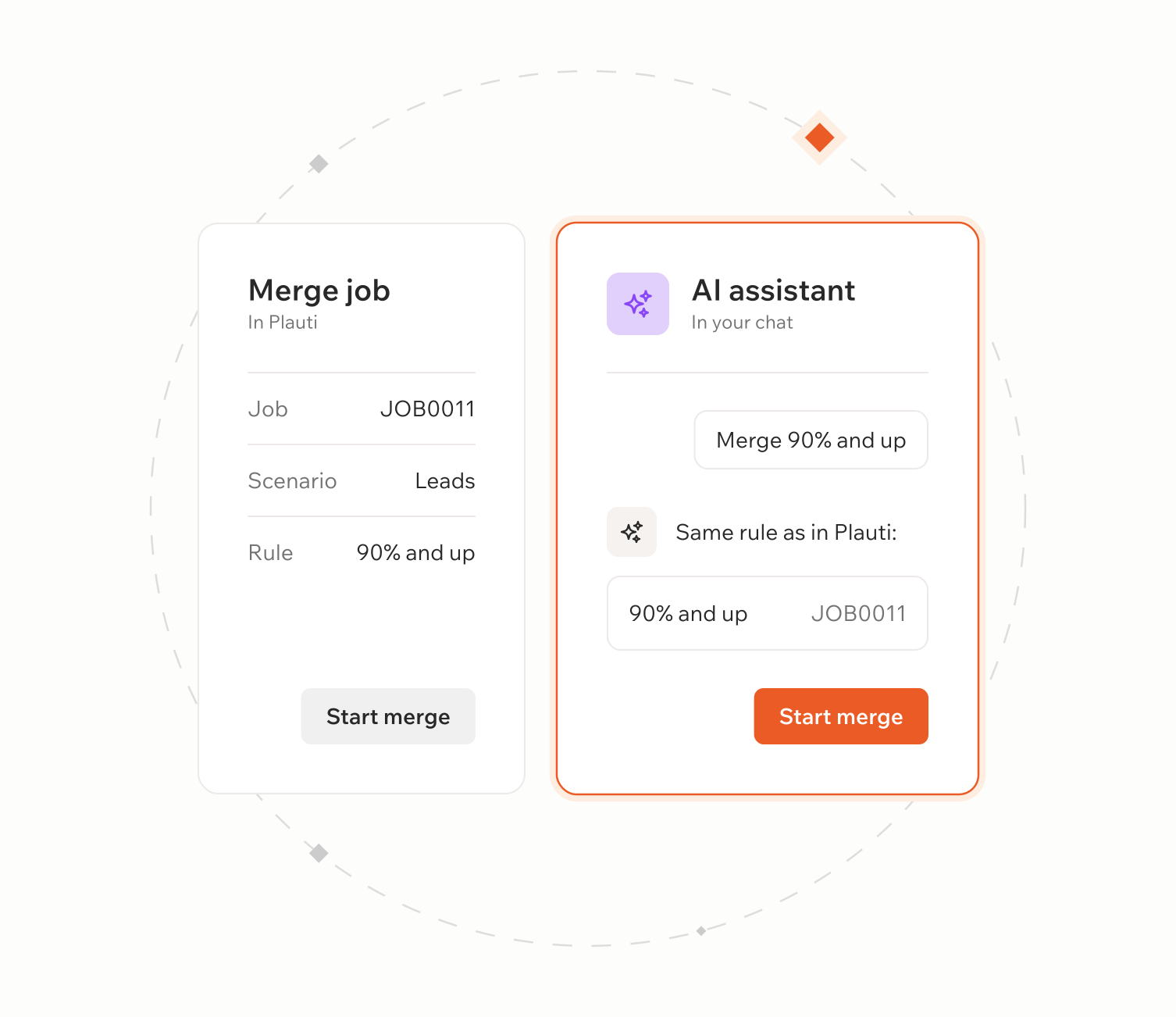
    Merge one pair at a time, or every pair above a score you set. Records can also be converted automatically. Try: “Merge all pairs above 95% from this job.”

See headless deduplication in 90 seconds

Ask, review, merge.

Pick a time and see AI find duplicates, explain why they match and improve your scenarios.

AI does the work, you keep control

You decide what the assistant can touch: you see why, you say yes, your permissions apply.

  • Ask why, then make your scenarios better.

    Ask, follow up, and the assistant investigates in for you. Ask what a scenario does, then update it or have the assistant suggest improvements.

    • “Why did these two match?” It explains the score, field by field.
    • “My job failed. What does the log say?” It reads the log and explains the cause.
  • Your permissions, your confirmation

    Looking never changes data. Merges wait for your confirmation.

    • It can only do what you can do in your CRM.
    • Every user keeps their own access rights. The assistant never bypasses them.

Headless deduplication, on the engine you already use

  • MCP-ready

    Your AI assistant connects to Plauti through MCP. Ask in plain words, and it builds scenarios, runs jobs, reviews results and merges for you.

  • Describe the rule, the assistant configures it

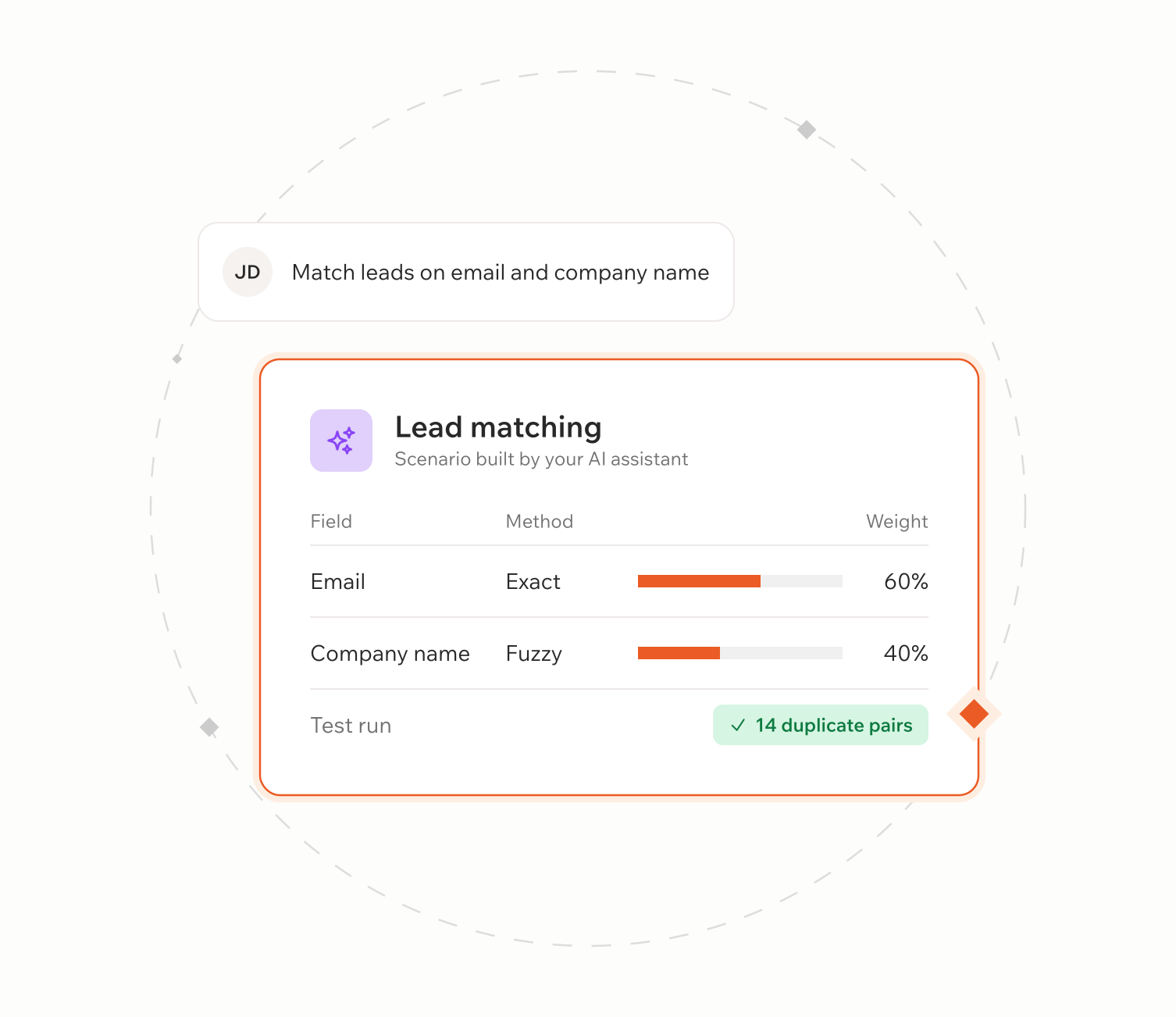
    Say what makes two records the same for your business. The assistant picks the matching method and weights, then builds, tests and runs the scenario.

  • Work where you already work

    Already use an AI assistant every day? Deduplicate from that same chat.

  • Same engine, new front door

    Same fuzzy matching, scores and merge logic you already use. Scenarios built in the chat are regular Plauti scenarios.

  • Brainstorm with AI, keep the final say

    AI reviews your scenarios, you decide what changes. Merged by mistake? With merge tracking on, Plauti brings the records back.

Customer quote

Granular deduplication at scale

"When we compared Plauti to other tools, the key advantage was granularity. With Plauti you can set very specific merge criteria: choose which fields to compare, set thresholds, and control what happens with empty fields. Also, Plauti lets us run automatic, large-scale merges, where other tools require everything to be done manually, one by one."
Roche Diagnostics Logo

Ana Marquez Salazar — Global CRM Manager

Roche Diagnostics

Roche Diagnostics

Frequently asked questions

What do I need to get started?

The Plauti desktop app (version 3.0.0 or later, on macOS or Windows; it doesn't need to be open). Plauti deduplication and the Plauti ECA package installed in every CRM you connect to, with your user given access to both. And a desktop AI client: Claude Desktop, Claude Code, Cursor, Codex, or any client that supports local (stdio) MCP servers. Browser-based assistants don't work. Setup means editing the AI client's config file or running a terminal command, so plan for an admin or IT to do it once.

Does my CRM data go to the AI assistant?

Yes, record values can. When the assistant shows records side by side or explains a score, those values go through your AI assistant. Deduplication jobs run on your own machine. Check this against your AI and data policies before you start.

Is there a list of prompts to use?

You don't need special commands. Ask in your own words, for example “Review our scenarios and point out weak spots”, “Make a scenario that matches records on email and company name” or “What's the status of my job?”. More example prompts are on the Plauti Success Hub.

Can I create a new scenario from the chat?

Yes, as long as you're under your scenario limit. You can also update or delete scenarios, and delete jobs that gave nonsense results, if your user has those rights.

Does it suggest improvements based on my records, or on defaults?

It looks at your actual groups and job results. It won't check every group: it focuses on groups with many pairs or the lowest scores, then suggests scenario improvements or explains why something was a false positive. A scenario tester can be used with it too, and it gives you the reasoning behind a match.

Are there extra costs to use headless deduplication?

No extra cost from Plauti. It's included in your paid Plauti license. It uses your own AI assistant, and Plauti doesn't have access to what you type in your conversations.

Can I undo a merge?

Yes. Plauti can bring merged records back, as long as merge tracking was switched on before the merge.
See how it works

Talk with one of our experts to see how that works for your use case.