
Case studies
How Xerox Improved Global Data Integrity in Salesforce
Xerox's global CRM team cleaned up cross-team duplicate records in Salesforce, then added prevention so marketing targeting and client reporting stay accurate as the company scales.
The 5 Best Validation, Verification & Formatting Tools for Salesforce in 2026
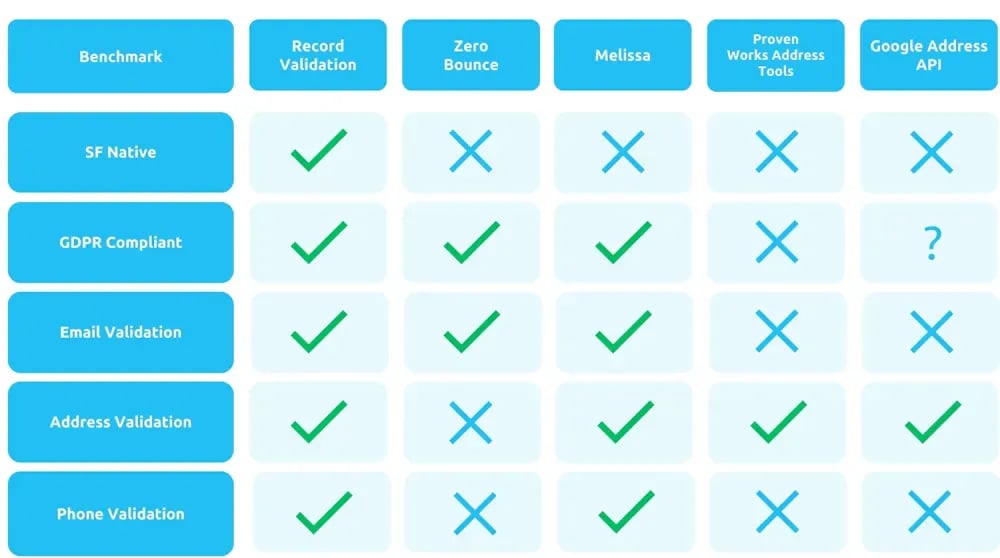
Choose Plauti if you want validation, verification, and formatting native to Salesforce, covering email, phone, and international address data from one platform. Choose ZeroBounce if all you need is email-list hygiene and Salesforce-native processing isn't a requirement. Choose Melissa if you're comfortable managing separate point products for email, address, and phone data in exchange for a long track record. Choose ProvenWorks AddressTools if your only requirement is physical-address entry. Choose the Google Address Validation API if you have developer resources to build address checks yourself and don't need phone or email coverage. Checked June 2026.

Validation, verification, and formatting tools for Salesforce solve different problems, and picking the wrong one for the job wastes budget on a fix that doesn't match it. This comparison looks at five options for 2026: Plauti, ZeroBounce, Melissa, ProvenWorks AddressTools, and the Google Address Validation API.
Bad data costs more than it looks like. An undelivered email doesn't just miss one prospect: it damages your sender reputation and gets future messages flagged as spam. Catching problems at the point of entry is cheaper than cleaning them up afterward.
The market splits by scope. Some tools handle only physical addresses, some only email, and a few cover more than one channel, so an apples-to-apples comparison isn't always possible. Plauti covers email, phone, and postal address validation natively inside Salesforce; this article checks it against four alternatives on that basis.
Verification checks data against its original source, such as a paper form or another database, to catch anything missing or mismatched before you use it. Validation checks that data already in the system meets format and business-rule requirements. Formatting, or standardization, is the visual layer on top: consistent spacing and layout that make the same accurate data easier to read.
An analogy: verification is checking you have every ingredient a recipe calls for. Validation is tasting the finished cake to confirm it came out right. Formatting is the shape of the tin, or how you slice it, cosmetic, but part of what makes the result usable.
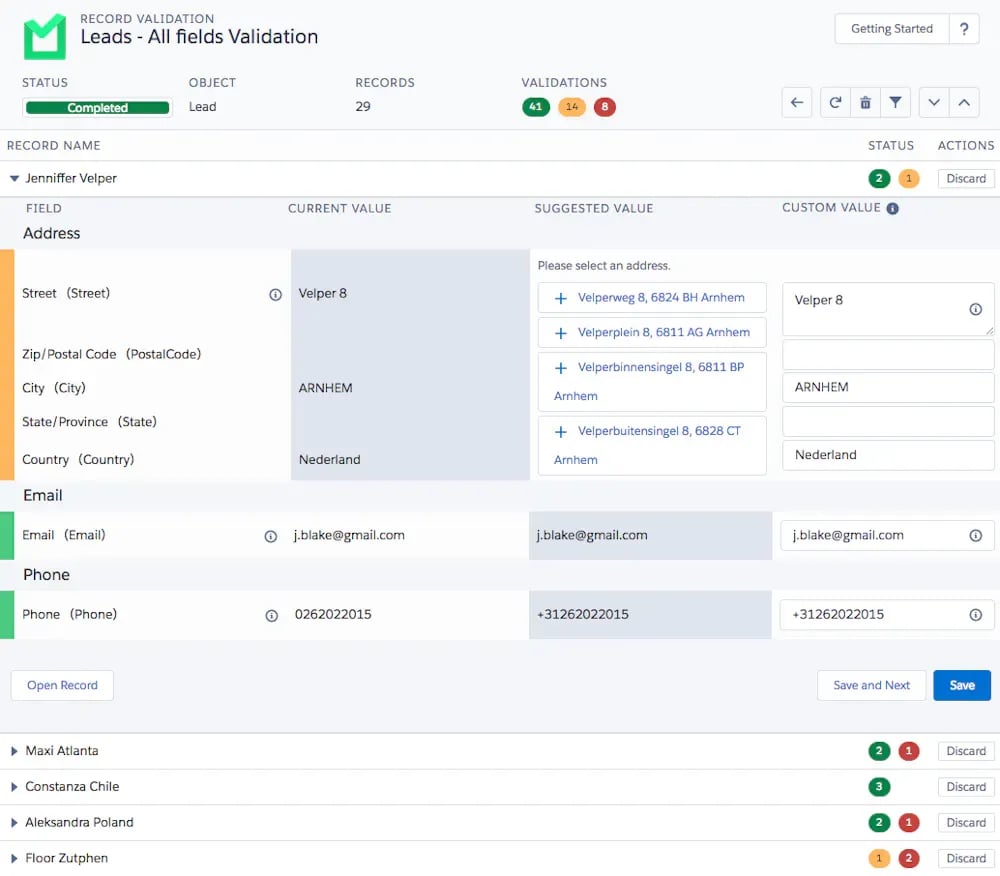
Plauti verifies, validates, and formats records directly inside Salesforce, covering email addresses, phone numbers, and postal addresses from one native platform. Because it runs inside your org rather than as an external service, no data leaves Salesforce to reach a third-party API.
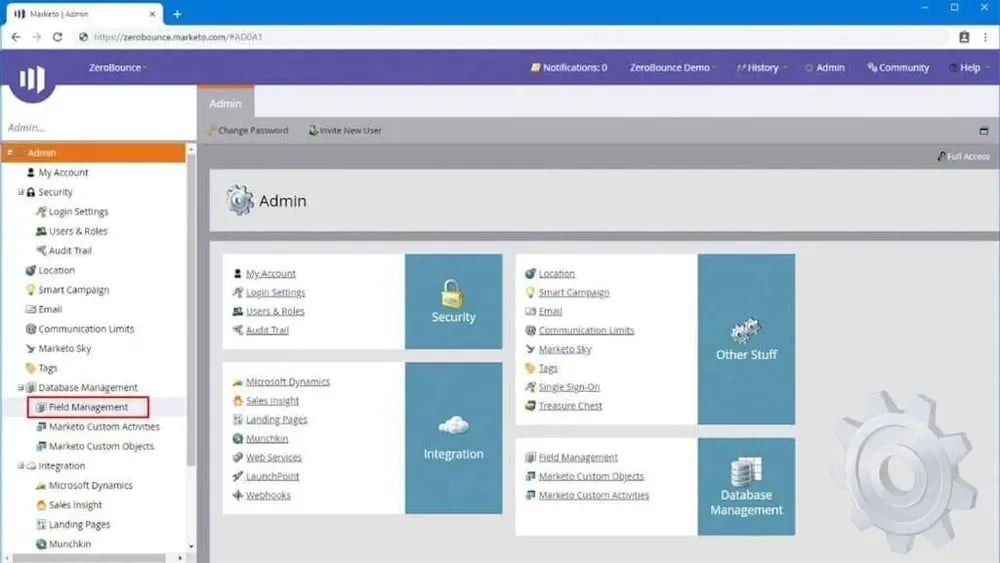
ZeroBounce is a well-regarded email verification service. It isn't Salesforce-native and focuses on email addresses rather than phone or address data, but it has some strong points worth examining, including Activity Data for assessing email interactions.
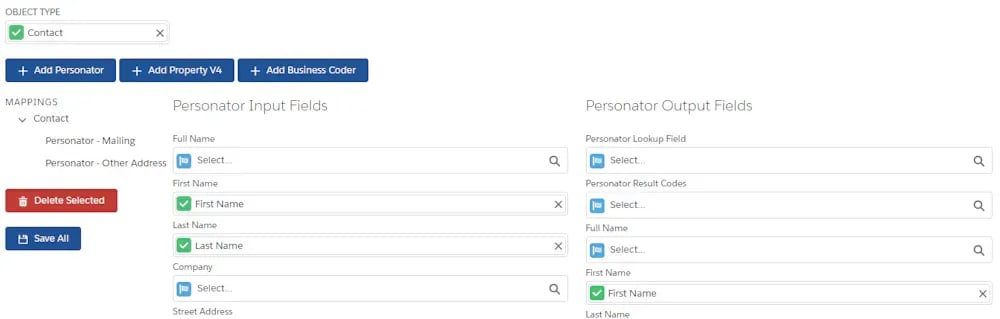
Melissa is a long-established name in data cleansing, with separate point products for email, address, and phone number verification. It's worth mentioning for that track record, even though the products are not combined into a single tool.
ProvenWorks AddressTools is a point solution for physical and mailing addresses, not a broader data quality platform, and it isn't Salesforce-native, so implementation takes more setup work than a native tool. Within that scope, it has some useful features.
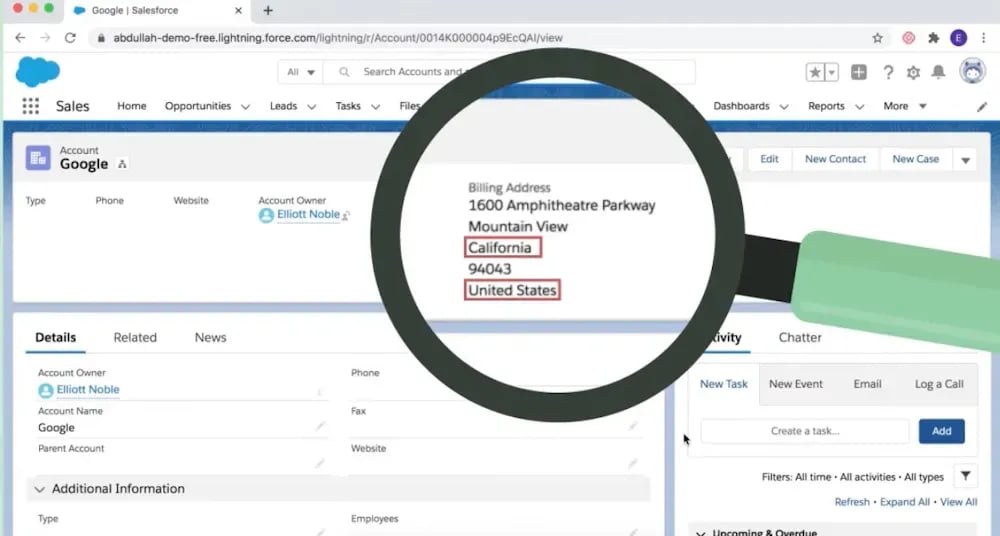
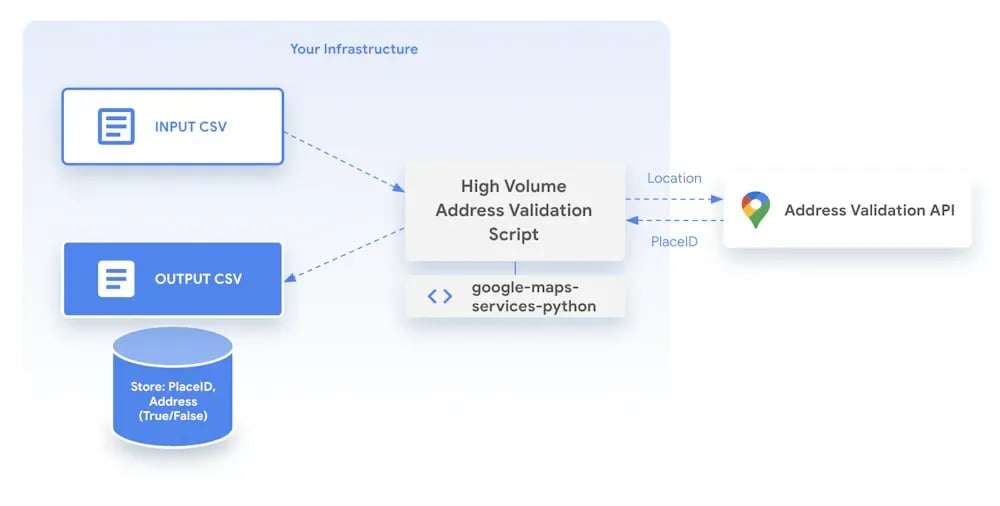
Google Address Validation API is a free tool built on the Google Maps platform, the same set of APIs and SDKs developers use to embed Google Maps or pull its data. It can cover some address validation needs, but it comes with limitations, including ease of use, since it's a developer API rather than a packaged product.
The right answer depends on scope and integration, not on which tool has the longest feature list. A tool that does one thing well is fine if that's all you need; a broader platform pays off once you need email, phone, and address coverage together, inside Salesforce.
Weigh a few factors: your physical footprint, the CRM you're running, and how much work implementation will take. Google's API is a good example: it needs developer expertise to configure, which is a real cost even though the API itself is free. Some products are built to do one thing well; others cover more ground.
Plauti's validation capability works alongside its duplicate-finding and merging capability. Used separately, each does its job. Used together, they cover more of the data quality lifecycle, from catching bad records at entry to cleaning up what's already in the system.
Data quality only holds up if it's accurate from the moment a record is created. Bad data entering at any point, a new lead, an updated customer record, an imported list, spreads to every system that reads from Salesforce afterward. Plauti addresses this at the point of entry, before a bad record reaches the database.
Five things worth checking before you decide:
1. Stops bad data at the source. Plauti checks and formats records as they're entered, catching problems immediately. Source data suggests this can cut entry errors by up to 78% and speeds up record creation for the people doing the typing.
2. Real-time validation across every channel. Live Validation and entry-point checks catch bad data regardless of how a record arrives, a bulk import or someone typing a lead into a form.
3. International coverage without losing accuracy. Addresses get validated across over 240 countries, with optional geocoding for more precise location data. That means fewer returned mailings and better territory planning wherever your customers are.
4. Built into Salesforce workflows. REST and Apex APIs plus Flow Actions mean validation fits into processes you already have, rather than running alongside them as a separate system.
5. Usable by teams, configurable by admins. Validation rules stay simple enough for a rep to work with daily and flexible enough for an admin to set up without custom development.
One more thing, since the article opened with it: the riddle at the top of the original version of this piece, "I speak without a mouth and hear without ears. I have no body, but I come alive with wind," was an echo. It repeats what it hears and has no body of its own. Clean Salesforce data doesn't happen by echo; something has to check it before it's created.
Case studies
Xerox's global CRM team cleaned up cross-team duplicate records in Salesforce, then added prevention so marketing targeting and client reporting stay accurate as the company scales.

Blog
Duplicate detection workarounds on Dynamics 365 CE migrations often go unscoped, and the hours come straight out of a boutique practice's margin. Here's what a year of engagements actually costs.
With a product tour you can walk through the product yourself without installing anything, or book a demo for a guided look.