Control
Configured per object and per surface.
- Separate scenarios for creates and for edits.
- A different threshold per entry channel.
- Cross-object matching, with fields mapped between types.
Matches appear while a record is still being typed, on the record page, and on web forms. Warn the person, or block the save.
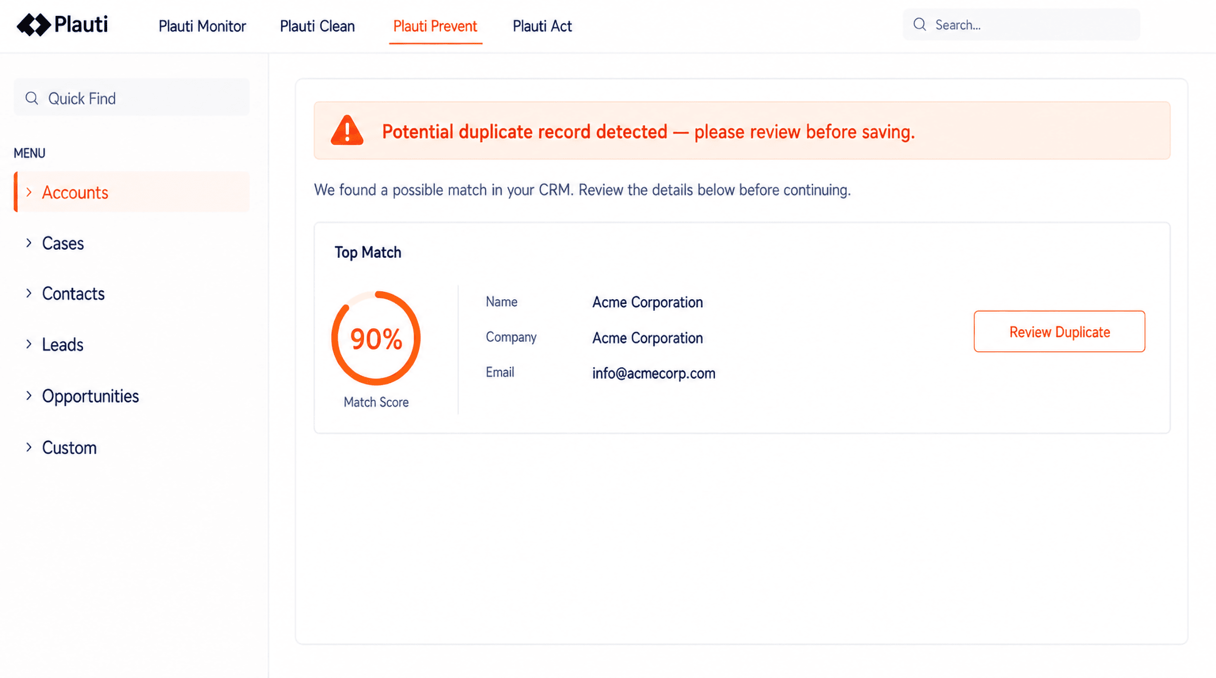
One scenario decides what counts as a duplicate, wherever the record comes from.
Matches and their scores appear while the form is still being filled. Per object: a warning to dismiss, or a block they cannot save through.
A component lists the duplicates a record already has, as it opens. Users merge from there, or discard with a reason so it stops coming back.
Above the score you set, a match is merged on arrival. Below it, it waits in a queue.
The four things admins check before prevention goes near production.
Configured per object and per surface.
Enforcement runs inside the permission model you already have.
The people who know the data resolve it, inside your guardrails.
It sits in the flow of work, not beside it.
Interactive product tours — no install, no sales call.
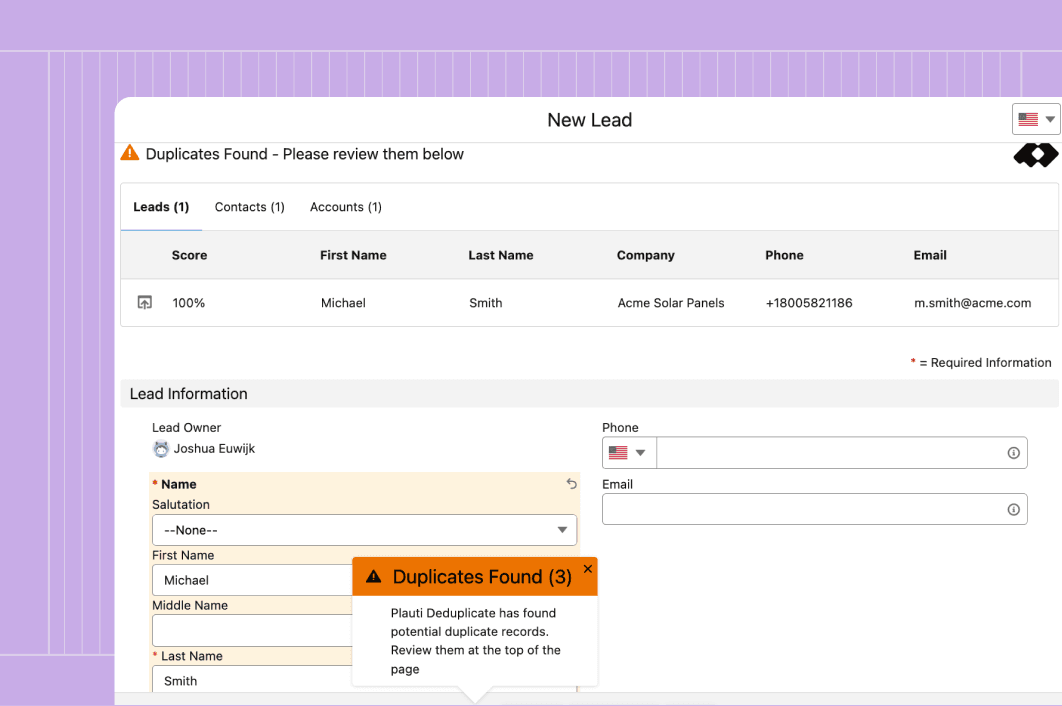
Every record a user types by hand is one typo away from a duplicate or a dead email. Catch both before they hit Save.
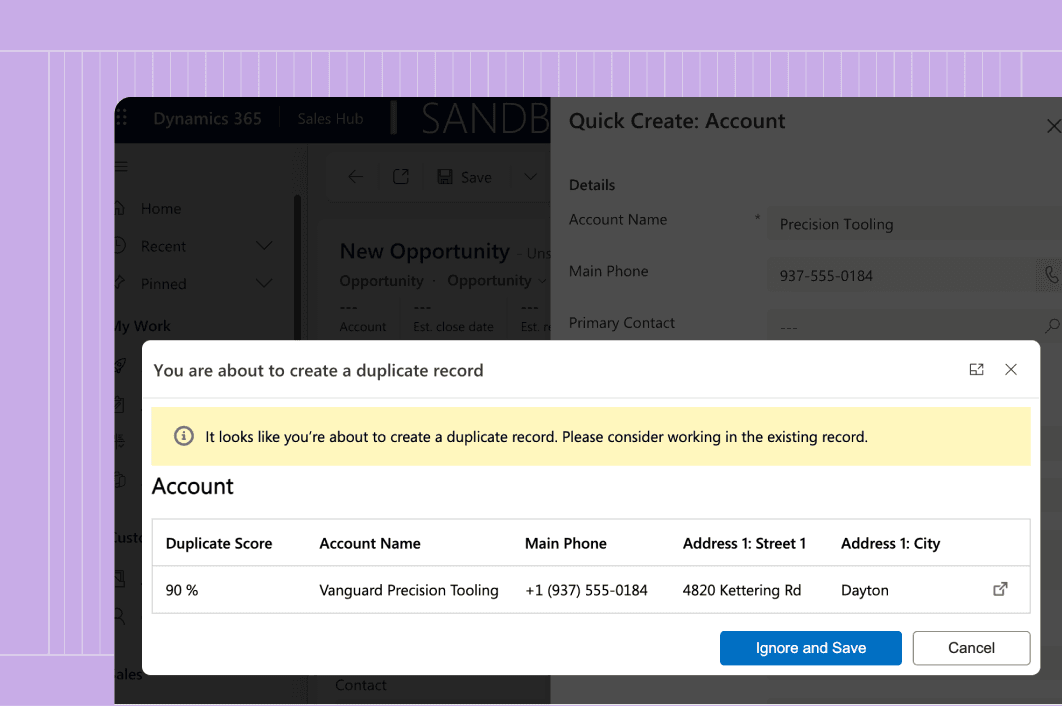
A rep adds an account from the fast form. Plauti checks it against what's already there and shows the match before it saves.
Prevent bad data
“I just really like that it's all built in. As you enter a new lead, it tells you right there there's a duplicate or the email is wrong. Again, we're just saving time and making everything a little more efficient.”

Alex Casey — Sales Technology Innovator
Wedgewood Weddings

Your choice, per object: a warning the person can dismiss, or a block they cannot save through, with an override granted through one field permission. Web form submissions are never blocked — they are written, then merged or queued.
An incoming record often carries something the existing one does not: new consent, recent activity, a changed field. It is let in, then resolved.
Yes, for any object where you override the standard edit button. Where it matters, leave that button alone and add a separate one for the checking form.
Each scenario shows the fields it compares, their weights and the threshold, so you can see why two records matched and tighten it per object.
Merged records can be brought back, down to a single field, with related records reattached and a full audit trail.
Talk with one of our experts to see how that works for your use case.