
Guides
Managing Duplicate Records with Salesforce's Native Tools
How Salesforce's built-in Matching Rules and Duplicate Rules work, how to set one up, and the specific record and API limits that cap what they can do alone.


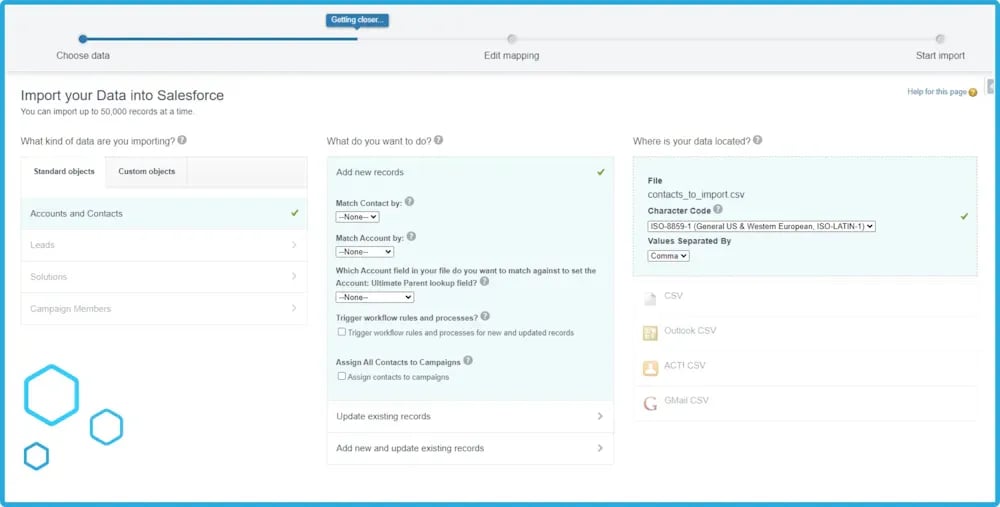
The Data Import Wizard ships in every Salesforce org and is the natural first choice for Contact and Account data. It also covers several standard objects — Leads, Solutions, Campaign Members — and any custom object in your configuration.
It's built for initial persona data: Contacts, Accounts, and Leads. Along the way it de-duplicates, links Contacts to Campaigns, and can trigger automations as records come in.
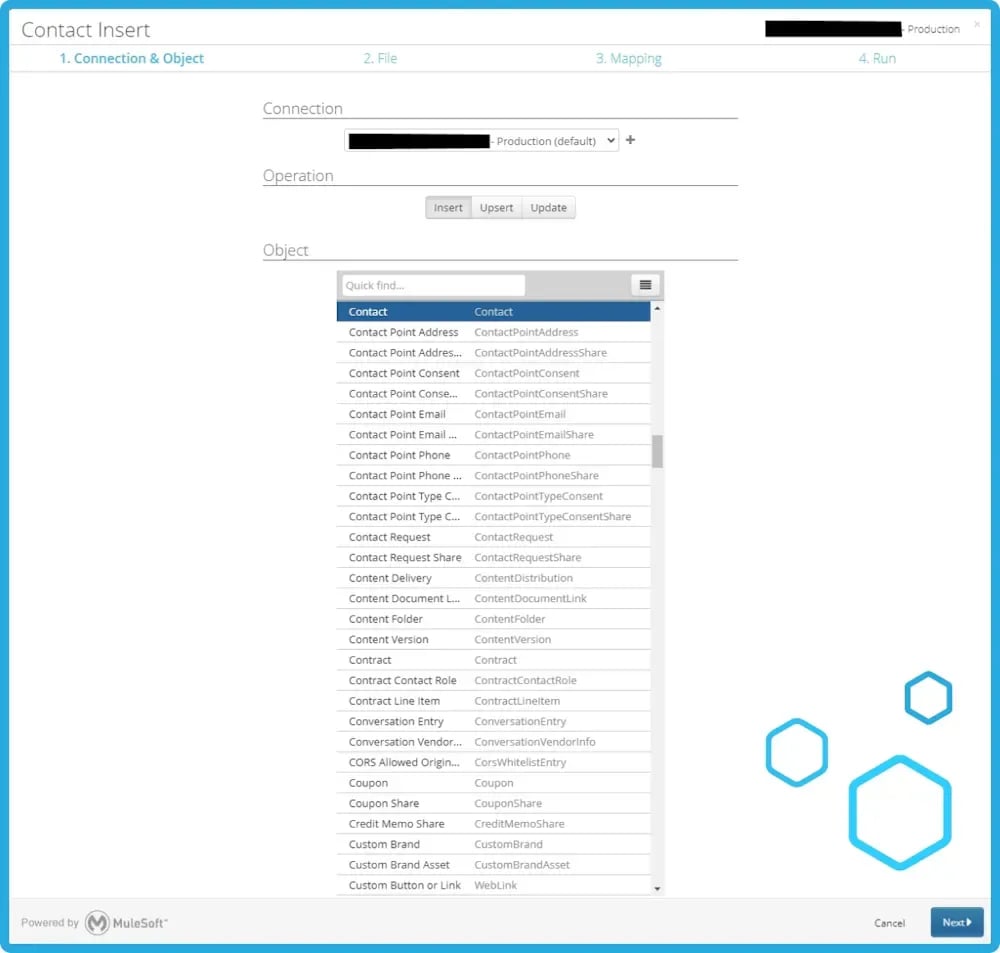
The Data Loader is Salesforce's client-based tool for bulk data work — insert, update, upsert, delete, and export, all through Salesforce's own APIs, which keeps the data integrity and access controls intact.
Where the Import Wizard is guided and capped at 50,000 records, the Data Loader is a heavier tool built for volume: up to 5 million records in a single run. It takes more technical familiarity to operate, and it earns that back on anything large or recurring.

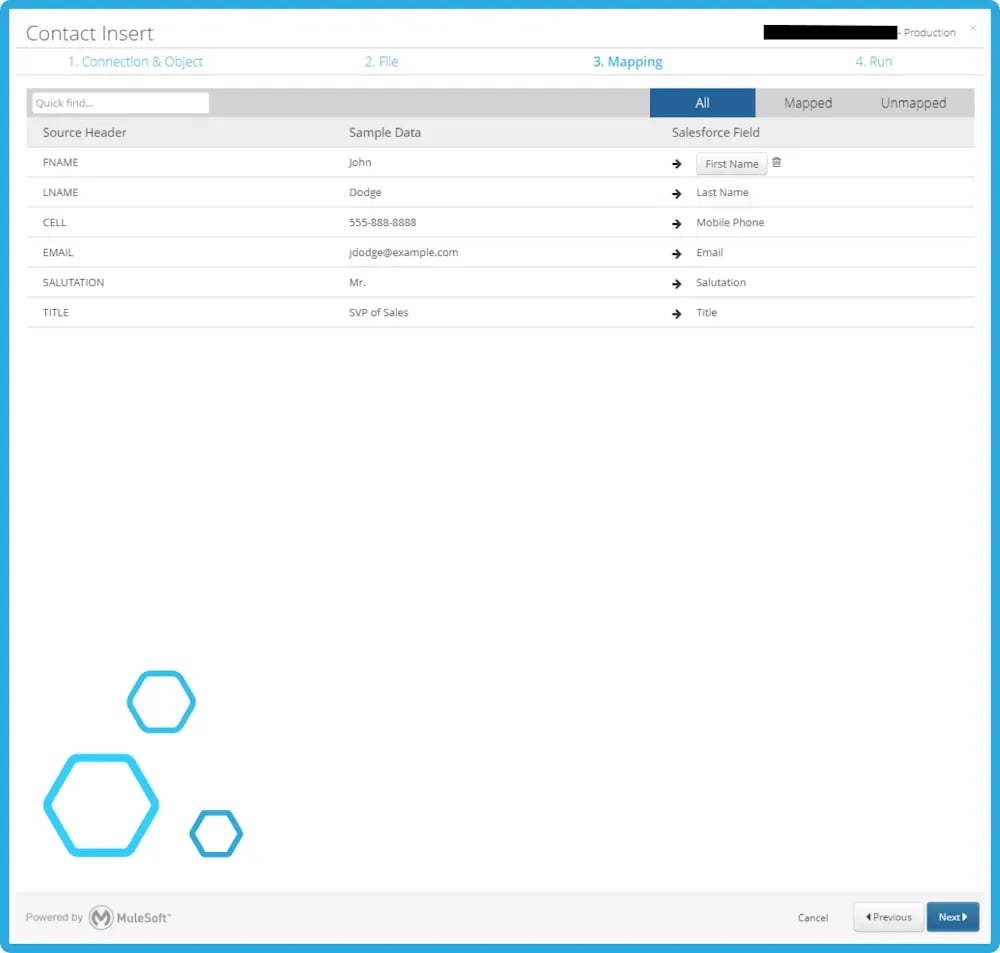
Between the two, most Salesforce orgs need both: the Import Wizard for the everyday, smaller-scale work, and the Data Loader for the bulk migrations and recurring syncs that outgrow it.
Next, we turn to a different kind of data quality control: validation and verification — the rules that check data as it's entered, rather than after the fact.
Guides
How Salesforce's built-in Matching Rules and Duplicate Rules work, how to set one up, and the specific record and API limits that cap what they can do alone.
Guides
What Salesforce Validation Rules actually check, how to build and test one, and the specific situations — lead conversion, mass transfer — where they don't fire.
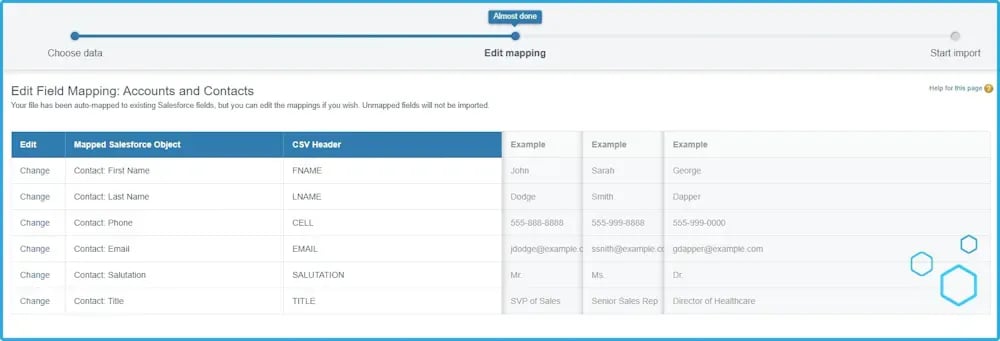
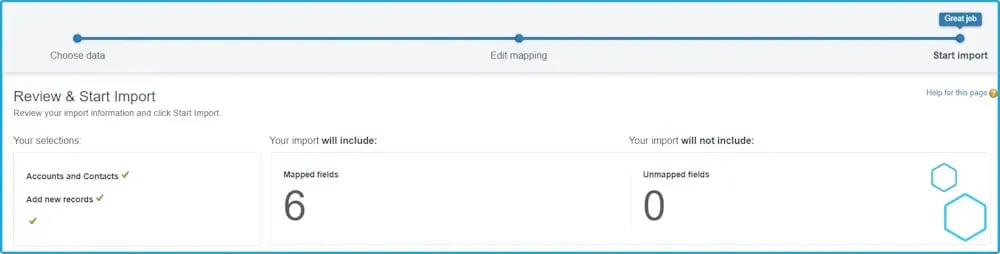
It's a guided, web-based tool for importing Contact, Account, Lead, and custom object data, built for smaller jobs up to 50,000 records at a time. It also handles field mapping, basic duplicate checking, and validation during import.
Up to 50,000 records in a single operation. Larger imports need the Data Loader or a third-party tool.
Up to 5 million records in a single batch, which makes it the standard choice for large migrations, bulk updates, and recurring data syncs.
No. Unlike the Data Import Wizard, the Data Loader has no built-in duplicate checking, so records need to be deduplicated before or after the load.
Once a job needs more than 50,000 records, touches multiple related objects, or has to run on a schedule via script — the Data Loader is built for volume and automation where the Import Wizard is built for guided, one-off imports.
With a product tour you can walk through the product yourself without installing anything, or book a demo for a guided look.