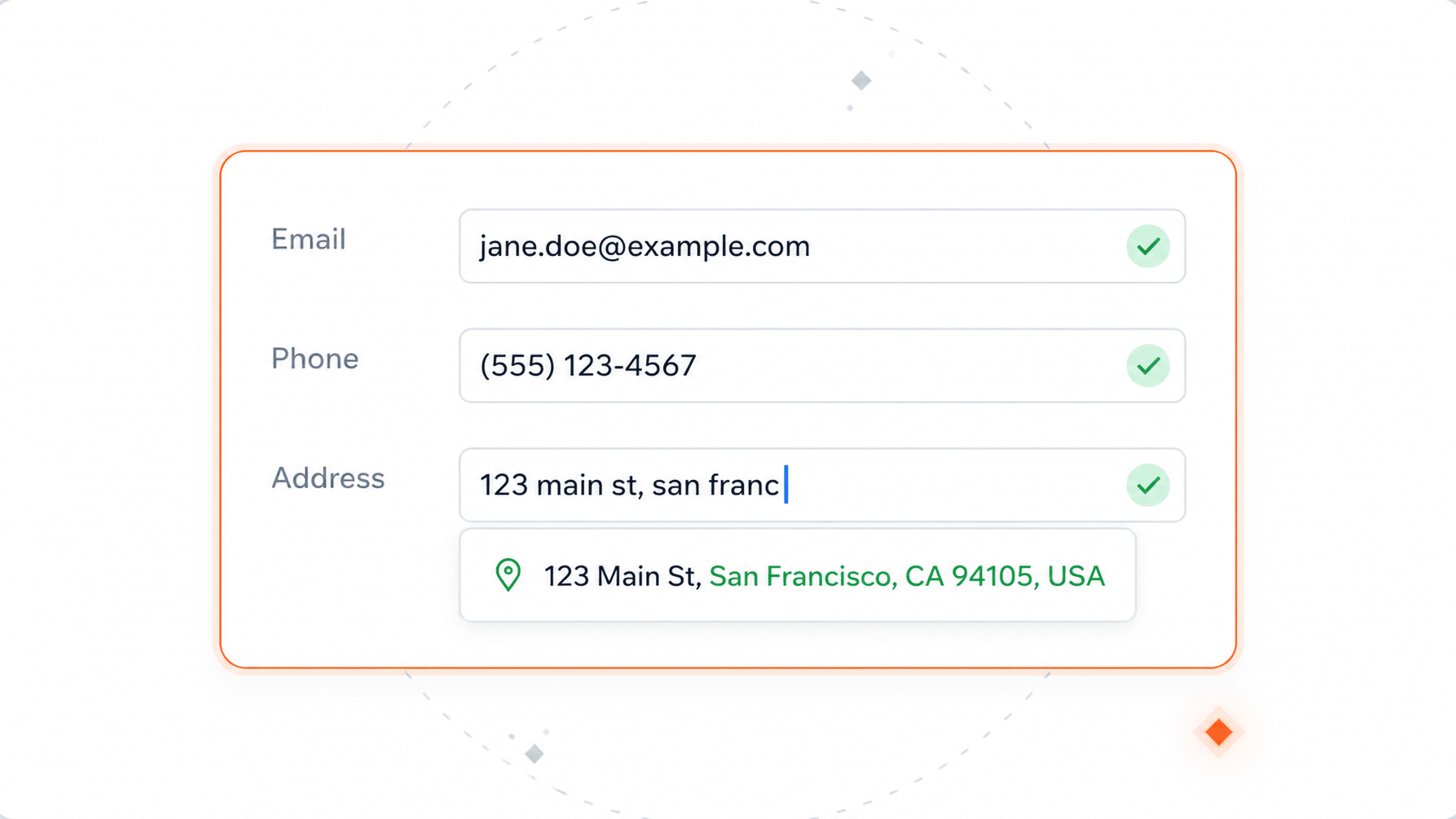
On the record, as it is filled
Email, phone and address get checked as you type — with suggested fixes for addresses, before anyone saves.
Your CRM stores whatever was typed in. It cannot tell you if the email works, the number connects, or the address is real. Verification checks all three and saves the result on the record.
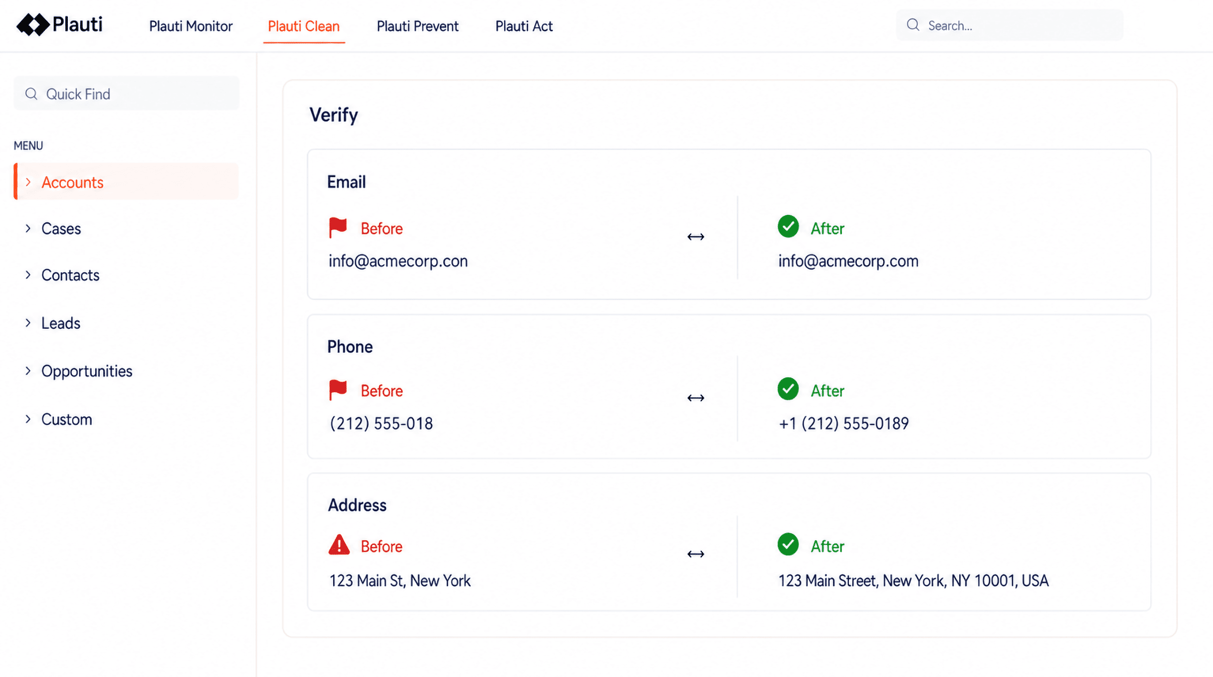
Each check saves the result, a standardized version of the value, and the date it ran.
Whether the address can actually receive mail. The result is valid, spam trap, risky, invalid or unknown.
Checks the country code and the number itself, then puts it into one consistent format.
Checks the address is real, then writes it the way that country writes addresses. Works in 240+ countries. Coordinates optional.
Run a job over the records already in your CRM. Filter which ones, and schedule it to repeat.
Jobs work through your existing records in batches, and can repeat on a schedule.
Email, phone and address get checked as you type — with suggested fixes for addresses, before anyone saves.
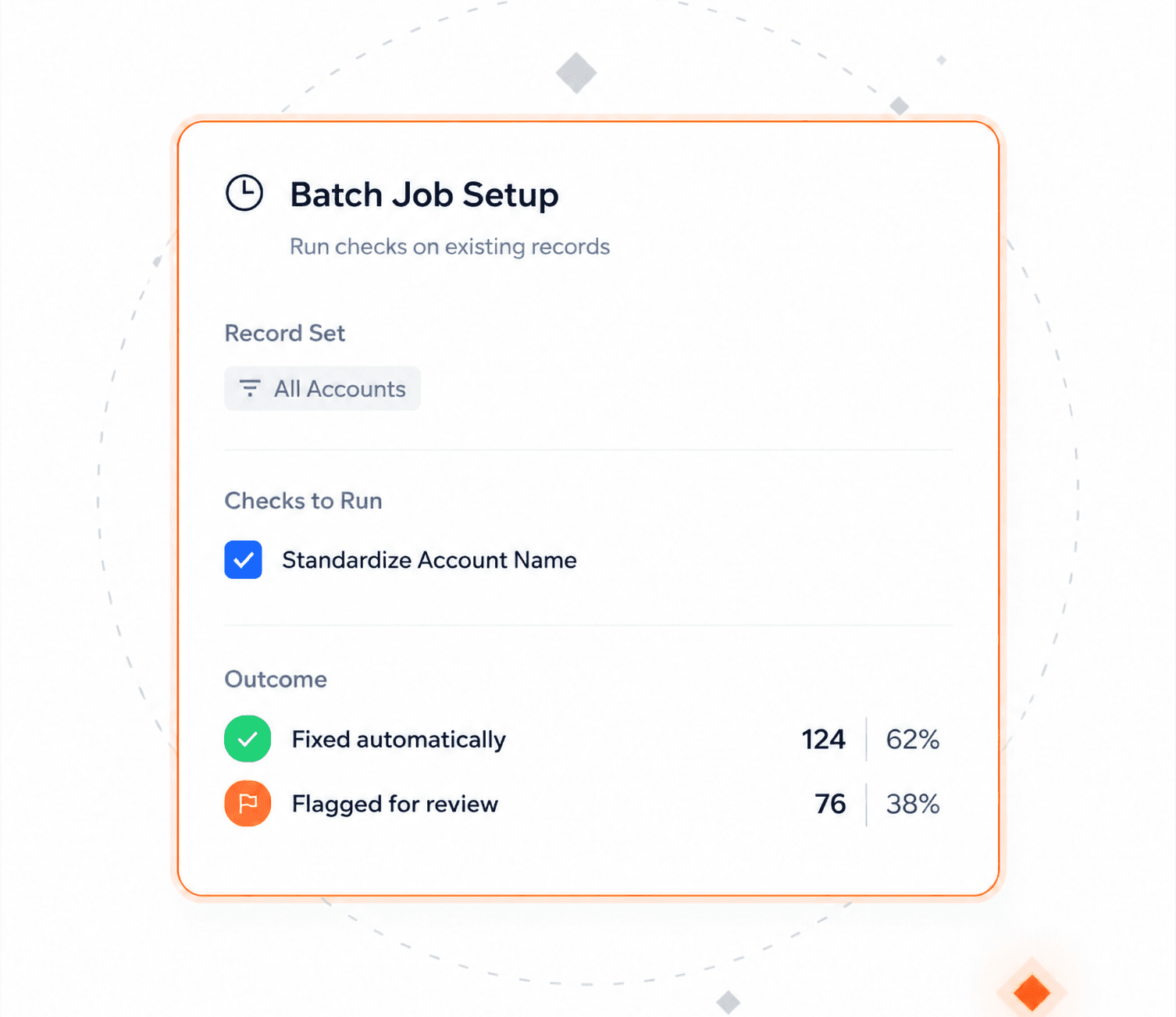
Filter the record set, pick the fields and checks to run, then let auto-process handle the outcome — fixed where it can be, flagged where it can't.
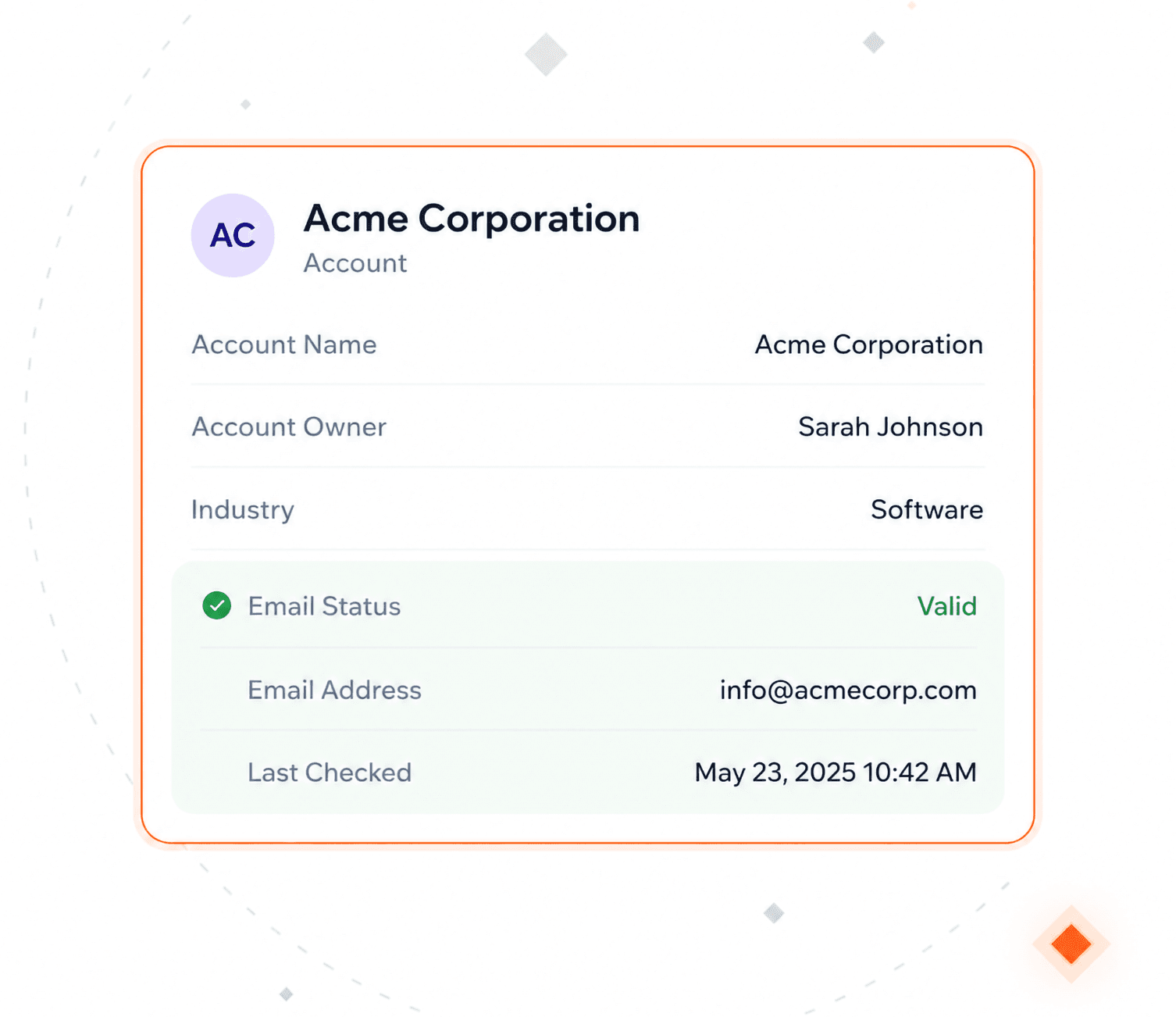
Results land in fields you choose, one set per check. "Is this reachable, and when did we last look?" becomes a question the record can answer on its own.
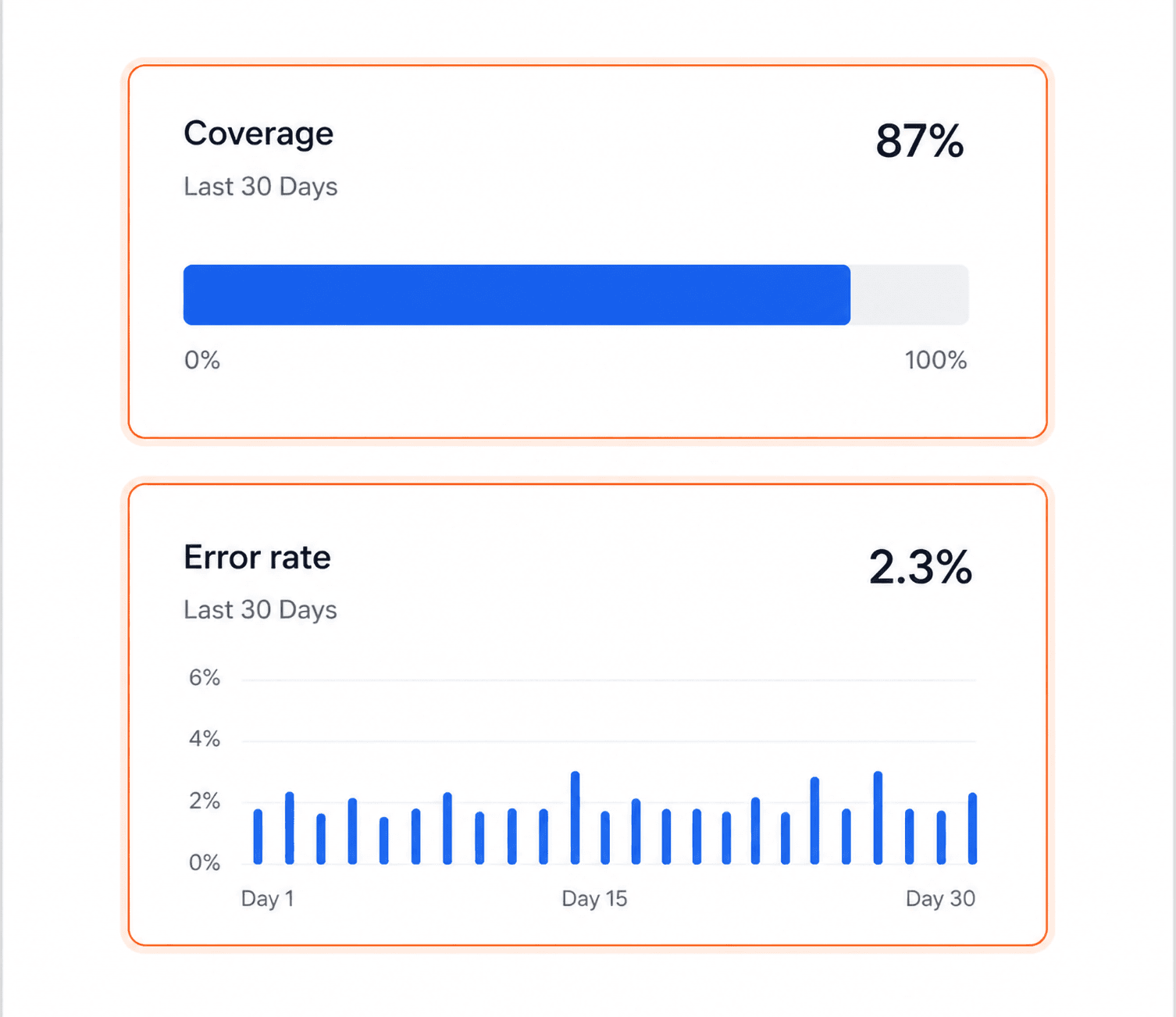
The outputs are ordinary fields, so coverage and error-rate dashboards live in your CRM's own report builder, no separate tool, no second data store.
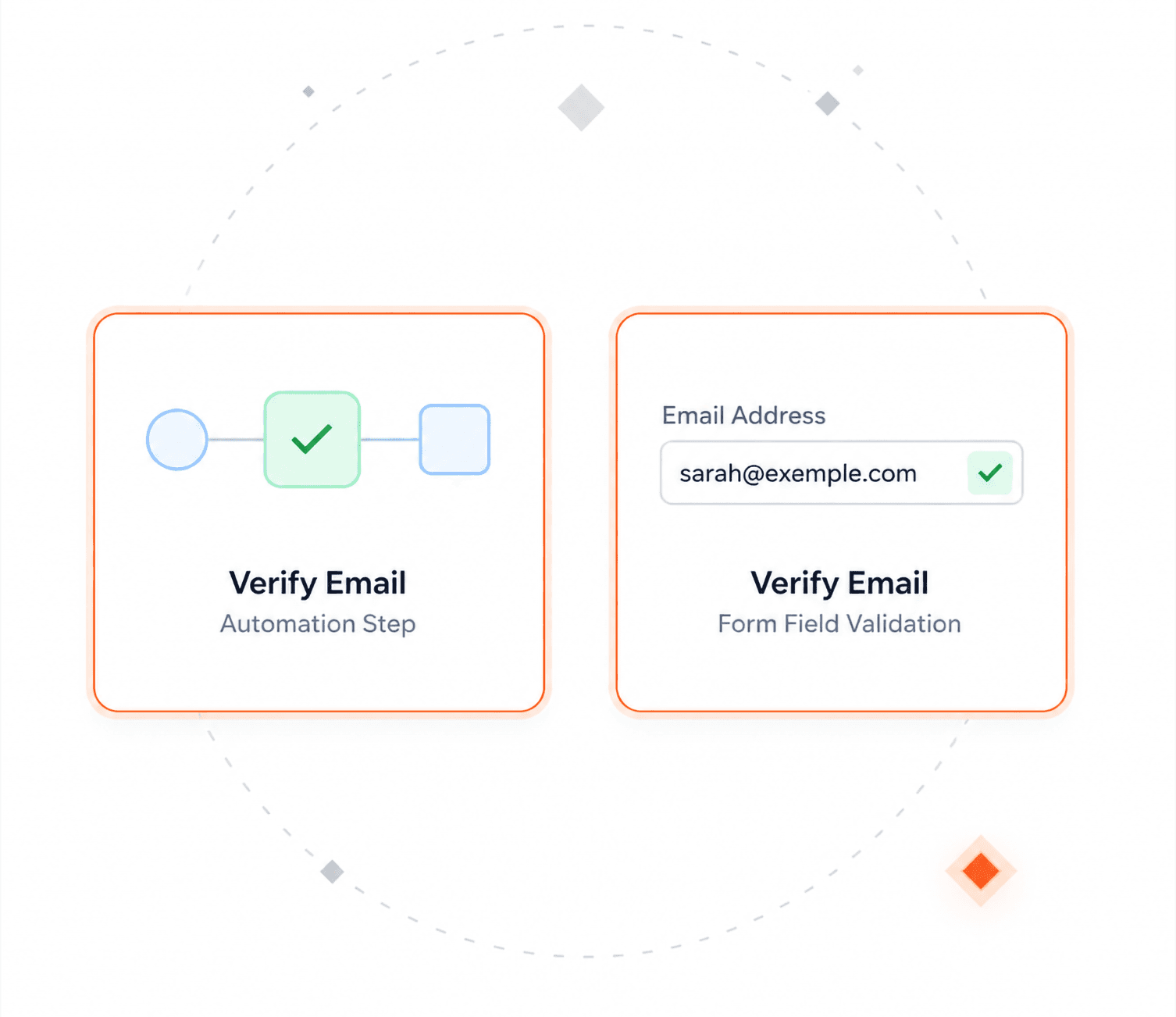
Verification runs inside your own automations, and the same rules apply to web forms and portals, before that data ever becomes a record.
The four things admins check before running this on real data.
You choose which objects and fields to check and which checks run on each. Your existing profiles, permission sets and sharing rules apply as they are.
Only the field being checked goes to a specialist partner. The result comes back and is written to the record.
Email validation
"This app has been a game changer for us. Now we can simply run a validation job and send the mailing out with confidence!"

Ethan Hartter
Flatiron Health

No. A validation rule checks that a field is filled in and looks roughly right. It cannot tell you whether mail arrives, a number dials, or an address exists. Verification checks all three against external sources, on new records and existing ones.
Email deliverability, returned as valid, risky, spam trap, invalid or unknown. Phone country code and number structure, normalized to one format. Postal addresses parsed, verified and formatted across more than 240 countries and territories, with optional coordinates.
Only the value of the field being checked does. That value goes to a specialist validation partner and the result is written back into fields you own. There is no bulk export and no external system holding a copy of your CRM.
Email and phone validations stay in the region you select: the EU means the Netherlands and Germany only, the US stays in the United States.
Yes. Batch jobs run over existing records, filtered to those with no status yet or last checked beyond a cutoff you set. Jobs can be scheduled so the backlog does not rebuild.
Verification runs first. Standardized values give the matching engine one form of each to compare instead of several, which improves accuracy and lowers the risk of merging the wrong records.
Talk with one of our experts to see how that works for your use case.