
Blog
Deduplicating 500,000+ Dynamics 365 Records at Scale
Dynamics 365's native duplicate detection caps at 5,000 records per job and can't fuzzy-match. Here's how enterprises clean and prevent duplicates across 500,000+ records and business units.

A Power BI report can tell you how many duplicate records sit in your Dynamics 365 CE environment. It cannot merge a single one.
You probably built the report because someone asked for a number, or because you needed proof before asking for budget. It worked. The tile says 3,200 duplicate contacts, there is a drill-through by owner, and everyone agrees the problem is real. Then the meeting ends and all 3,200 are still there.
That gap between seeing duplicates and resolving them is where many cleanup efforts stall. Power BI handles the first half well. This article covers where it stops, and what the second half requires.
Power BI is a sound way to measure duplicates, and it is worth building for that reason that alone.
The Dataverse connector reads your tables directly, once an admin has enabled the TDS endpoint setting in the environment. You can import the data or query it live with DirectQuery. From there, finding exact duplicates is a group-by: count the rows that share an email address, an account number, or a website domain, and keep the groups with more than one.
Near matches are possible too. Power Query includes fuzzy merge and fuzzy grouping, which use a similarity threshold that defaults to 80%. That catches "Contoso Ltd" against "Contoso Limited" without extra code.
So a report can size the problem, break it down by owner, source, or creation date, and track whether it is getting better or worse. All of that helps when you need to make the case for fixing it.
Every limit below comes from the same fact: a report reads data. It does not change it.
Merging happens in Dynamics 365 CE, not in the report. Per Microsoft's merge documentation, you select the duplicate rows in a view, choose Merge, pick the primary record, and choose which columns carry over. You can merge only two records at a time, so a group of five duplicates takes four merges. A drill-through link in your report can open each record, but someone still works through them one pair at a time. Some teams automate the merge with a Power Automate flow, which has its own failure modes.
A report flags a match. It does not know which record has the current phone number, the right owner, or the most recent activity. In native merge, a person decides that for every pair. At 3,200 duplicates, that decision needs rules, not memory.
In the Dynamics 365 CE interface, only Account, Contact, and Lead records can be merged. Microsoft's Web API reference adds Case (incident) for environments running Dynamics 365 Customer Service. Other standard tables and custom tables are not supported. Power BI will report duplicates on a custom table without complaint, and then there is no built-in action to take on what it finds.
A report is only as current as its last refresh. Meanwhile, records keep arriving through imports, Web API inserts, Power Automate flows, and integrations, and those routes can skip native duplicate detection entirely. We covered that in how Web API inserts bypass duplicate detection by default. Native bulk duplicate detection jobs are snapshots too, and each one stops at 5,000 records. Clean up the backlog and the tile turns green. A week later it turns red again, and nothing in the report explains why.
The report covers visibility. Fixing duplicates takes two more jobs: cleaning what is already in the environment, and checking what arrives next.
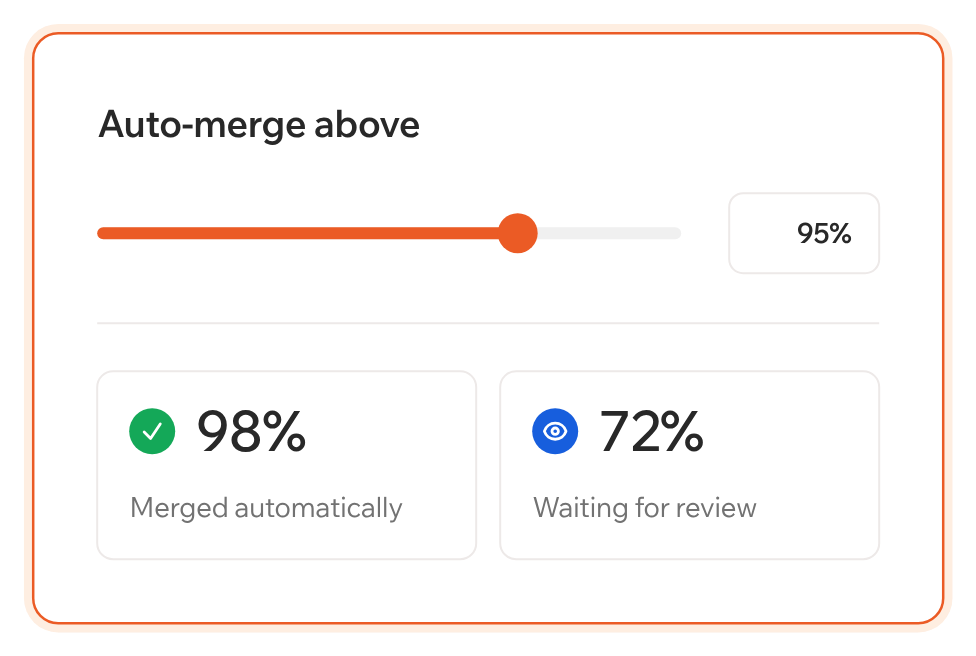
Clean means merging in bulk, by rules you set. That includes choosing the winning record, deciding per field which value survives, reviewing side by side where it matters, and merging automatically where it does not. It also means working on custom tables, and re-pointing related records to the surviving record so nothing is orphaned.
Prevent means every new record gets checked as it arrives, whether a user typed it, an integration wrote it, or an import brought it in. Without this step, the cleanup in the previous paragraph has to be repeated.
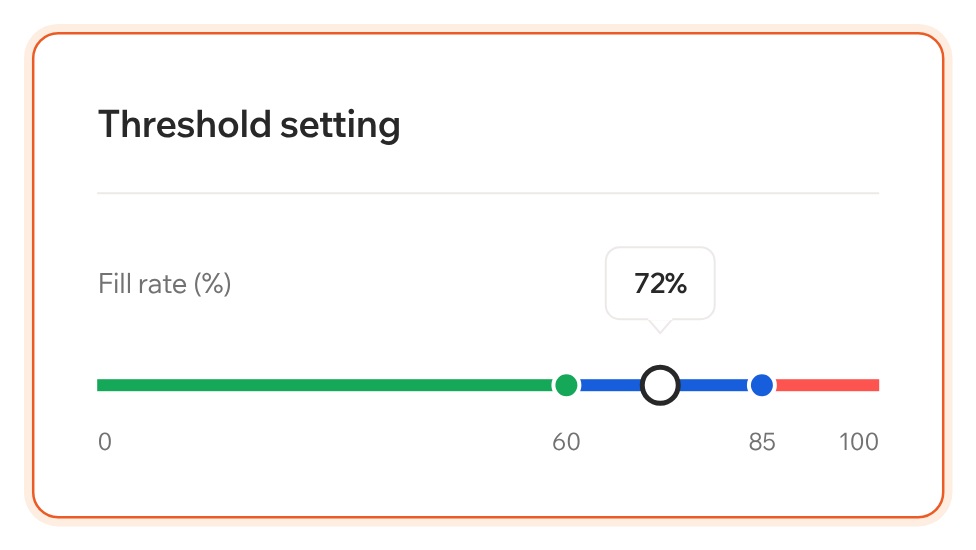
Monitor is where Power BI and a data quality tool overlap. If a number on a tile is all you need, the report does that job. Monitor in Plauti for Dynamics 365 CE runs duplicate-rate and field-level analyses inside Dataverse, shows each result as green, amber, or red against thresholds you set, and stores results so you can compare them over time. The difference is that it sits next to the tools that act on what it finds.
Keep the Power BI report for the leadership meeting. Then pick a tool that merges and prevents, so the next report shows a number that went down.
Plauti for Dynamics 365 CE installs from Microsoft Marketplace and runs inside your own Dataverse environment. To see Monitor, Clean, and Prevent together, start at plauti.com/crm/microsoft-dynamics.
Blog
Dynamics 365's native duplicate detection caps at 5,000 records per job and can't fuzzy-match. Here's how enterprises clean and prevent duplicates across 500,000+ records and business units.

Blog
Dynamics 365's native duplicate detection only catches UI form entries. Bulk imports, Web API calls, and Dual-Write syncs bypass it by default, which is why duplicates pile up right at go-live.
Configured once per environment, covering every entry point.